

WHAT ARE ANCHOR AND NON-ANCHOR LINKS?
-
Post author

-


Links are helpful in any kind of content. If they lead to other pages on the same website, users visit more sections of the site, which improves ranking. It’s also a good way to simplify navigation and enhance user experience.
Hyperlinks that lead to external websites are used for off-page SEO. Building backlinks is an important part of a marketing strategy—it signals the site’s value to search engines and potential customers. Alternate between anchor and non-anchor backlinks, and use them wisely. Here’s how.
What’s This About?
- What Is an Anchor and Why Add It?
- Types of anchor links
- Non-anchor links and their advantages
- The role of anchor and non-anchor links in link building
- Conclusions
What Is an Anchor and Why Add It?
An anchor is also called link text or anchor text. It’s the visible, clickable text in an HTML hyperlink. Usually, it’s blue. In Word documents, you can add links with or without anchors. Both types should be used in articles:
- Like this: marketing.link/blog
- And like this: Marketing Link agency blog
Search engines analyze anchor text on web pages. It affects a site’s ranking, so anchor words should be chosen carefully.
“Anchor text has a strong weight in search engine algorithms because it usually reflects the page being linked to. Search engines aim to deliver relevant results, and anchor text helps identify relevance. It also guides users through a site, which can improve its search ranking.”—Anchor text, Wikipedia
Both anchor and non-anchor links contain a URL. But with anchor links, the URL is hidden behind readable text—a phrase or word that shows where the link goes.

It’s informative and attractive from a marketing perspective—you can include a call-to-action or a special offer. This attracts the target audience and reduces bounce rate, helping the site rank better. However, Google doesn’t always agree. In 2012, Google announced that anchor text would lose importance in ranking.
“Still, a 2016 study of 16,000 keywords showed that anchor text with exact or partial keyword matches continues to strongly correlate with Google ranking.”—Anchor text, Wikipedia
Structure of an anchor link:
<a href=”link address”>anchor text</a>
Users only see the anchor text. Use both anchor and non-anchor links to keep your content looking natural and effective.
📌Read the article: What types of sites are there
Types of Anchor Links
Anchor links are any links that use text instead of a raw URL. They fall into these categories:
- Exact match keyword backlinks
- Partial match keyword backlinks
- Branded anchor links

Exact Match Keywords
The anchor text exactly matches the target keyword that reflects the page’s content. For example, if the link leads to a car alarm section in an online store, the anchor might be “car alarms.” A commercial anchor could be “buy car alarm.” Anchors with commercial words like “buy,” “order,” “free” can look spammy to Google, so use them carefully.
Partial Match Keywords
This means the anchor text partially matches the keyword and links to a broader topic. For instance, “skin hydration methods” as an anchor could lead to a winter skincare article.
Example: Exact match—“SMM agency.” Partial match—“popular SMM agency services in 2025”
Branded Anchors
Some call links with a brand name non-anchor, but that’s not accurate—there is anchor text. These are common in guest posts. They’re short, informative, and natural. They raise brand awareness, especially for personal brands.
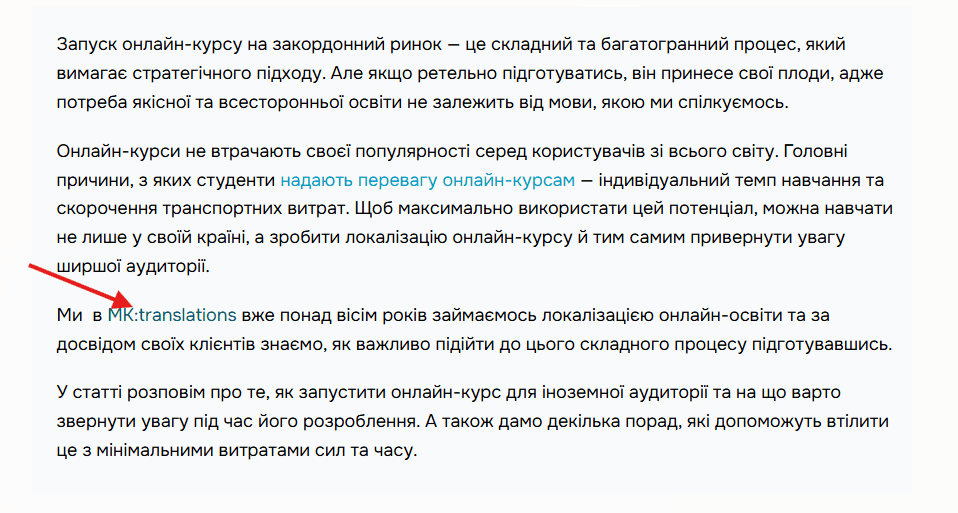
If your blog features expert posts, include the author’s profile link too. This can be an internal link to your team page or a link to the author’s personal website.

Expert’s comment
Google values expertise and expects at least a short author mention in an article. When you Google the author, there should be expert-level info.
Generic Words and Calls to Action
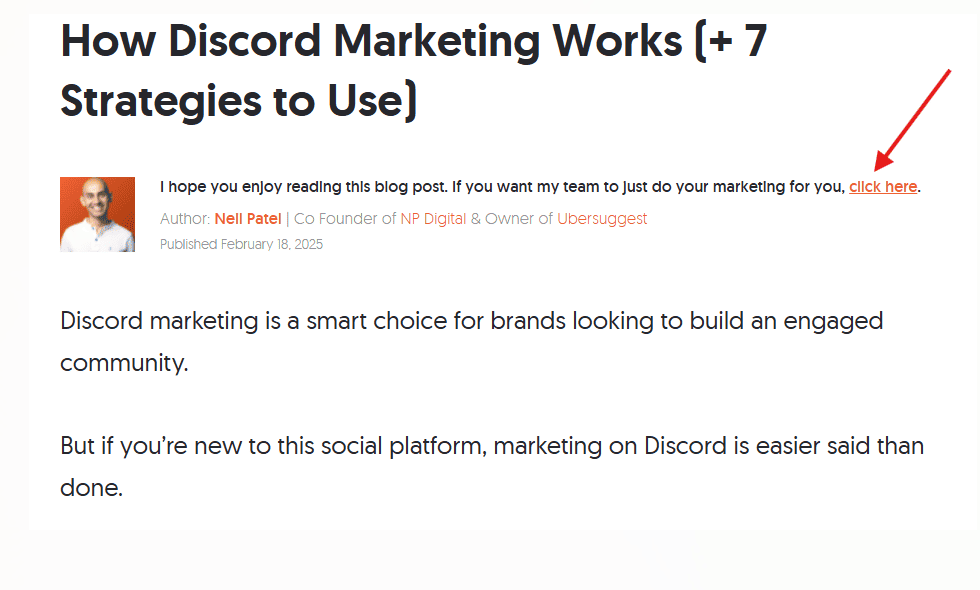
Anchors without keywords or any content description are neutral anchors. They use generic text like:
link, here, click here, full details, source, view, read here, click for more info, click to read more, continued, get more information, learn more, official site, etc.
There’s another method we won’t list separately: image anchors—when clicking an image takes you to a site. This hurts user experience and search engines don’t like it.
The alt tag is filled with anchor text to boost visits. But users often don’t know the image is clickable, leading to high bounce rates. On commercial pages, this means fewer conversions.
📌Read the article: Rewriting and copywriting: what are the features?
Non-Anchor Links and Their Benefits
Non-anchor links are just the page address itself:
https://marketing.link/who-is-a-brand-manager
A page’s URL might include a keyword—but that’s not recommended.
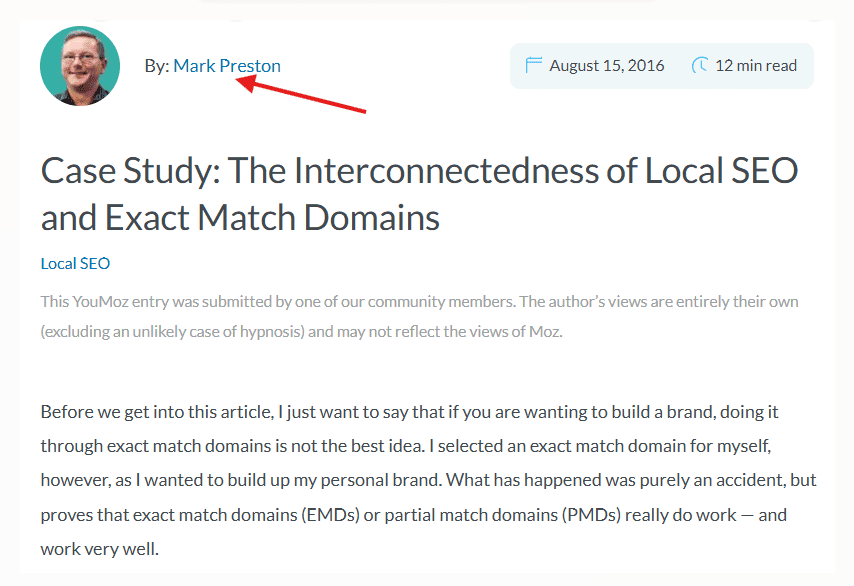
“A 2016 Moz study showed that domains with exact or partial matches can be penalized for over-optimization because Google sees branded domains and plain URLs as exact matches.”—Case Study: The Interconnectedness of Local SEO and Exact Match Domains, Mark Preston
Direct URLs work well with search engines and look natural, but they can be long. If the link includes a long UTM tag, shorten it with a link-shortening tool.
Non-Clickable URLs
These are written site addresses that can’t be clicked. They don’t lead anywhere, but they work on platforms where clickable links are not allowed.
Examples of where to add non-anchor links:
- In guest posts (e.g., final paragraph);
- On social media;
- On classifieds sites;
- In directories;
- On niche forums.
Focus on the first two. Posting lots of links in directories or forums might be seen as spam by Google.
Role of Anchor and Non-Anchor Links in Link Building
Search engines often assume anchor links are paid. Non-anchor links look more like real user recommendations—like links in blog comments. In blogs, combine both types. But don’t overdo exact match or commercial anchors—Google might penalize you.
If you want to post an anchor like “burger delivery Kyiv,” consider changing your strategy. Use branded anchors or softer keyword blends that match the article’s tone and grammar. The article should relate to the target page too.
Anchor and non-anchor links have two main purposes:
- Improve site ranking and grow organic traffic.
- Increase brand recognition—especially with branded anchors and non-anchor links in comments, Facebook, Quora, Reddit, or YouTube descriptions.
Use various link types. Mix up your anchor texts. Remember—URLs with “https”, “www”, and without are seen as different anchors. Use that to diversify your anchor list. But even one typo in anchor text may look spammy to Google.
Conclusions
Anchor and non-anchor links help with both on-page and off-page SEO. Anchor links were more popular before 2012. Now, search engines trust non-anchor links more—but it’s not black and white. Use both and manage your link strategy wisely.
Anchor links can be branded, generic, or descriptive—with exact or partial keyword matches. Non-anchor links may be clickable or not. They look like plain URLs. In blogs, use both. In comments or on forums, use plain URLs.
Don’t overuse anchor links in one article. Avoid too many commercial or exact-match anchors. A mix of link types gives you a balanced backlink profile.
FAQ
Anchor links are backlinks with visible text. They can be branded, generic, or keyword-based—either exact or partial match.
Non-anchor links are plain URLs, like marketing.link/uk/articles, not hidden behind text.
-
Tags
