
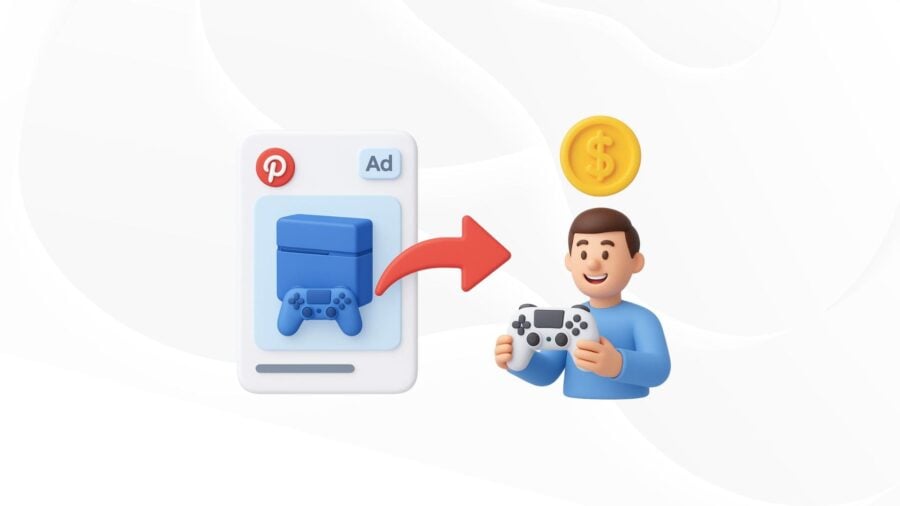
ADVERTISING ON PINTEREST: WHY SHOULD YOU USE IT?
-
Post author

-


According to Pinterest statistics, 89% of American Pinners use this platform to search for ideas on their path to purchase. This visual search and social network allows you to create personal and business accounts, use both paid and free promotion methods, and increase your brand awareness in a non-intrusive way. If you’re looking for a platform where people mainly search for inspiration and ads don’t feel like ads—then Pinterest is the place to go.
What’s It All About?
- Pinterest—a Place for Ideas and Shopping
- Pinterest Content Formats
- What to Try and Avoid on Pinterest?
- Advertising Features on Pinterest
- Conclusion
Pinterest—a Place for Ideas and Shopping
Ads on this platform don’t look like ads. The core audience is women—according to various studies, they make up around 80% of registered users. But that doesn’t mean it’s only good for “female” businesses. Even if your target customer is a man who rarely visits social media, the person making the purchase decision might be his marketer, assistant, or wife.
Posts here are called pins. When users interact with them, they move up in rankings. This means an author can keep getting free traffic for months—or even a year—after publishing. That makes Pinterest unique as a promotion channel.
“Every week, users save and engage with more than 1.5 billion pins, showing a high level of activity. The platform keeps growing, adding 7.5% more users each year—faster than many other social media. This steady growth shows Pinterest’s ongoing appeal.”—The Quiet Power Of Pinterest: Is It The Retailer’s Best-Kept Social Secret? by Kate Hardcastle, Forbes
Even though Pinterest is known to be an effective marketing channel, many myths still exist. Some think it’s only for saving recipes, nail art, or fashion looks. But actually, with high-quality visuals, you can reach an engaged audience in almost any niche.
Regular Pinterest users say that ads on the platform feel more relevant than on other social networks. That’s why brands like Nestlé, McDonald’s, Toyota, The New York Times, and Amazon are already using it.

Even Wikipedia has an account with over 66,000 followers and 1.8K monthly views. Pinterest isn’t always used for direct sales—it’s also a great tool to bring traffic to blogs. When you hover over an image, a link appears in the lower left corner, showing where the pin leads.
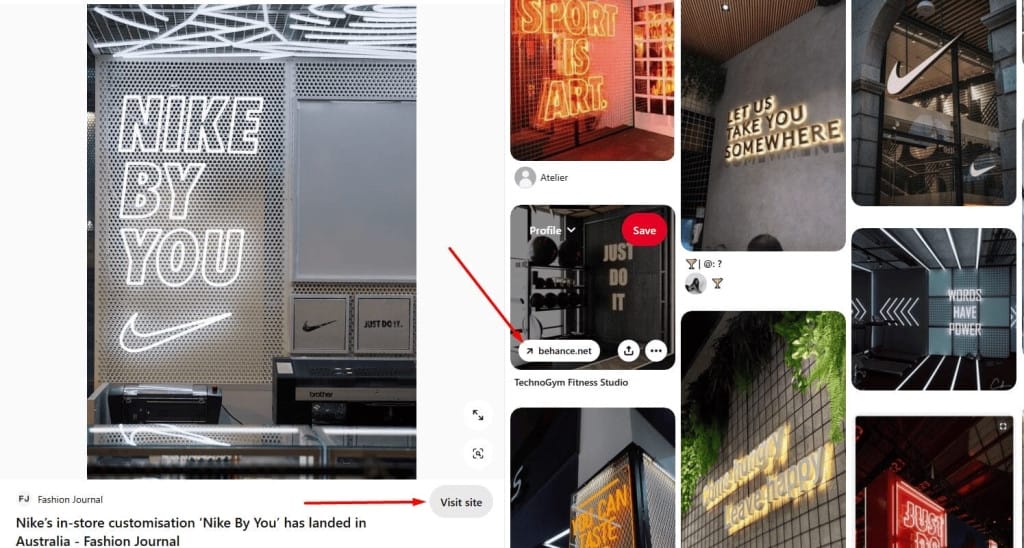
Pins can include short, sharp text with keywords and a catchy title.

Interesting fact: 80% of content on Pinterest are re-pins. Users share existing pins more than they create new ones. For content creators and business owners, that’s a big advantage. People get tired of seeing the same things, so fresh content gets noticed and shared fast.
📌Читайте статтю: Як скласти контент план для Інстаграм
A Brief History of Pinterest
Wikipedia describes Pinterest as “a social web service for creating photo and video collections.” It was founded by Ben Silbermann in 2010. A year earlier, he launched an app called Tote, where people could save products and get alerts when they were available. The shopping experience wasn’t ideal, but people loved making and sharing collections. That user behavior inspired Pinterest.
Nine months after launching, Pinterest had 10,000 users. A year later, it became available on iPhone, and popularity grew quickly. The platform keeps evolving—new features and ad formats are added all the time. As of Q3 2024, Pinterest has over 537 million active users worldwide.
Why Pinterest?
Pinterest has a simple and attractive visual structure.
- Pins are images that can be uploaded directly or shared via links from websites.
- Boards are collections of pins grouped by theme. They can have different sections.
Users can follow other accounts or just specific boards—so they only see what they care about. This makes Pinterest different from most other social platforms. Users can save other people’s pins to their own boards using the “Save” feature.
According to different surveys, Pinterest users are 3 times more likely to click through to a seller’s site than users on other platforms. About 80% discover new brands there. Browsing images feels like a relaxing activity, and often casual interest turns into a purchase.
Some users respond better to visuals than text or even video. The human brain processes visuals 60,000 times faster than text. Infographics are shared 3x more than other content types.
Pinterest also stands out by focusing on user interests rather than followers. You can drive traffic without investing heavily in retention. But using the right keywords in your pins is crucial. That’s why Pinterest works as both a social network and a visual search engine for discovering and buying products or services.
Pins are also well-indexed by search engines. For example, a public board titled “Workplace Design” can appear on the first page of Google search results.
Posts on Pinterest “live” longer than on most platforms. You might need to wait 4 months before a pin gets picked up by the algorithm and shown to your target audience. After that, it can keep bringing in traffic for years. A pin can even go viral long after posting if it matches a trending topic.
There are almost no strict rules about external links. It’s a good idea to link to your website about once every two weeks. You can also promote these pins through paid ads. On average, Pinterest ads cost 2.3 times less than on other platforms.
Overall, Pinterest has fewer strange rules—for example, your organic growth doesn’t stop when you pause paid ads, which sometimes happens on Instagram. If you run Pinterest Ads and take a break, nothing bad will happen—your organic reach will still grow.
Who Is It For?
Pinterest is mostly useful for businesses that can show their products or services in a visual way. But this doesn’t always mean showing pictures of ideas or final results. You can get creative and try infographics or promote lead magnets and paid helpful materials by posting teaser cover images, like HubSpot does.

There are some industries where visuals play a key role. So, with the right content and account management, Pinterest can bring great results.
- E-commerce
- Online education platforms
- Therapists and psychologists
- Architecture and interior design
- Beauty services
- Clothing and footwear
- Accessories and jewelry
- Food businesses
- Travel agencies
- Artists, like painters
- Event planners
- Dress, costume, and prop rental studios
Pinterest is also great for growing a personal brand.
It is especially valuable for businesses that are not limited by location and offer services online. This also applies to personal brands. Share helpful content in areas where you can show your expertise. This can include checklists, guides, infographics, and more.
Why Pinterest Might Ban Your Content
There are some topics and industries that Pinterest doesn’t support—and some types of content can even get banned.
- Personal stories. What works on Facebook, LinkedIn, or Instagram might not be welcome here. Ask yourself before posting: “Can this content inspire someone? Will people want to save it?” Long reads and storytelling are better for other platforms.
- Sensitive or controversial topics. Pinterest may not show—or might even block—content related to politics or religion. Topics like medicine or gender can also be difficult.
- Small local businesses. For example, if you run a car wash, it’s unlikely Pinterest will bring in customers. No one will save a “Before/After” pin for a local car wash.
- Clickbait titles. Don’t use headlines that don’t match the content of your pin.
Pinterest Content Formats
Most users browse Pinterest on mobile devices. They usually aren’t ready to buy right away—they’re looking for ideas or comparing options. In your content strategy, treat Pinterest as a top-of-funnel platform for cold audiences.
Mix organic content with promoted pins. Their visibility depends on your ad budget and how well your campaigns are set up. There are several pin formats—some are only available for business accounts.
Carousel
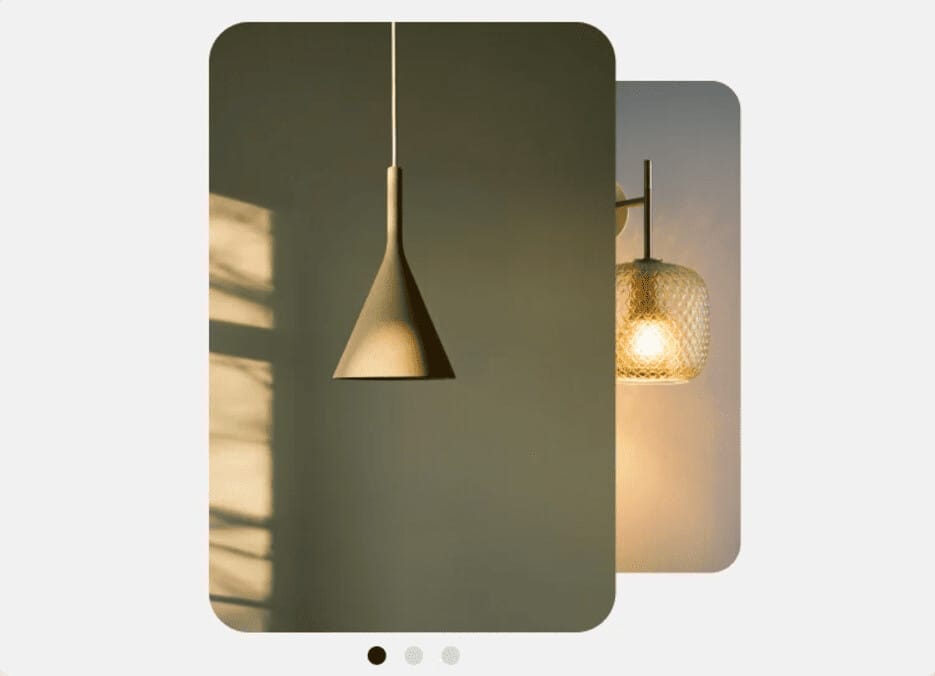
A set of images that users can swipe through. It’s a great way to show different features of a product, display multiple items at once, or tell your brand story.
Collections
Showcase a variety of products with prices, grouped under one theme. When users click on a collection, it opens in full-screen mode with a larger main image and up to 24 supporting images.

Idea
Combines multiple videos, images, lists, and text in one post.

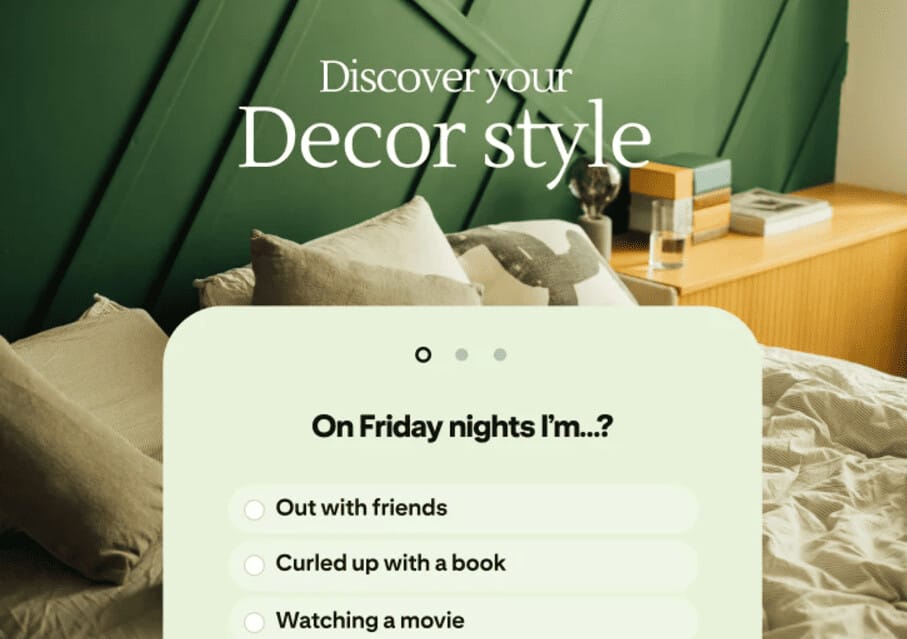
Quiz
Helps users get personalized ideas. Quiz ads are interactive polls where advertisers can add outbound links to extra content, products, and more. Quizzes are only available on mobile devices.
Showcase
A showcase ad is a multi-level virtual card with outbound links to additional content.

Video
They can be widescreen (Premiere Spotlight takes up the entire feed on the mobile device screen) and standard.

Pins of any of the listed types can be created on a computer using PinBuilder for ad posts or in the bulk editor. A special type of pin is called Try-on. These are interactive posts that let users virtually try on products (like cosmetics, home decor, etc.) using their camera or image gallery. The “Try-on” feature is based on augmented reality technology and is not available in all regions.
📌Read the article: 11 tools for detecting AI-generated content
What to try and what to avoid on Pinterest?
On this platform, each pin is a standalone unit, and unlike Instagram, it doesn’t matter how the images look together. They should be visually appealing on their own, not just as part of your page.
Another important feature of Pinterest is how posts are displayed. Users can see pins in several ways:
- By visiting your profile.
- In search results for a keyword.
- In relevant categories.
- In their home feed if they follow you.
- In their feed if their interests match your pin topics.
Organic reach works quite well here. When someone saves a promoted pin, others will also see it in their feeds—this helps boost engagement and drive more sales. When ad campaigns end, pins keep showing to the target audience. After paid promotion stops, advertisers still get about 20% more clicks for a month compared to before promoting the pin.
Tips for Promoting Pins
First, make sure your images are high quality. Bright pins stand out from other content—use this to your advantage. You need images with a 2:3 aspect ratio (1000×1500 pixels). Other formats also work, but the platform might crop them.
Organic videos can be 15 to 60 seconds long, but video ads have different limits—6–15 seconds. It’s a good idea to promote your most popular posts that already have high organic interest. In this way, Pinterest is similar to Instagram: if a post is already popular with users, it’s worth promoting.
By the way, Pinterest also has its own version of stories. Story Pins don’t disappear after some time—they stay in users’ libraries. But only a limited number of approved creators can make them.
“Like all pins, Story Pins can be saved to boards for later, and they can be found over time. They also appear on the home page, in search results, and in places like the ‘Today’ tab. They benefit from the visual search engine that helps people discover new ideas based on their interests and tastes.”—Introducing Story Pins and new ways for creators to build and grow with Pinterest, Newsroom Archive Pinterest
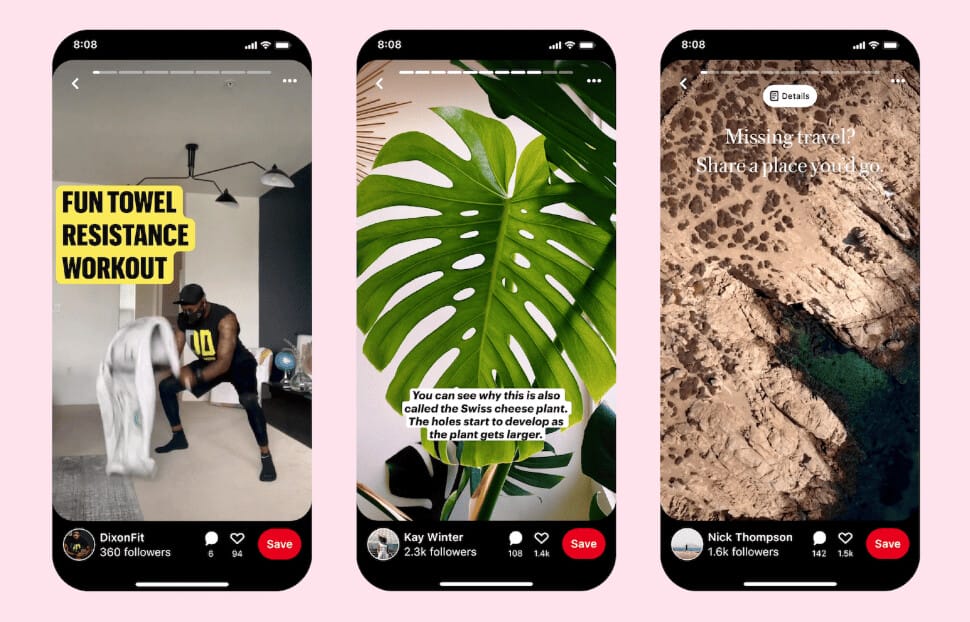
The Story Pins feature, now known as Idea Pins, was introduced in 2020. As of 2024, only business accounts in some countries can post Idea Pins, and they’re not available in all regions.
Pinterest opportunities for advertisers
Before setting up an ad campaign, study your target audience. One of the main targeting methods on Pinterest is demographics: location, gender, language, and device.
Another way is by choosing relevant keywords. These keywords define which search queries will show your pin. The platform allows up to 150 keywords per promoted pin. The best practice is to use only 20–30. For better visibility, use a wide mix of keywords—both specific and broad. This is similar to how SEO works in Google.
There’s also a method based on choosing different audience interests. Users see promoted pins based on what they’ve saved. As a result, they get highly personalized recommendations, the ads are targeted, and everyone benefits.
It’s recommended to publish only one ad every 60 minutes. That’s because only one ad per category is shown to each user per hour.
Many bloggers and business owners use Pinterest and Instagram as platforms for cross-promotion. The link goes to a page on another social media site. This also applies to TikTok and others.


Pinterest Ads, Pinterest Trends, and Pinterest Predicts
A business account on Pinterest allows you to add your website address to your profile. It also gives access to rich pins and other features useful for promotion. You can switch from a personal account to a public business account and back at any time.
The owner of a business account can create image pins, video pins, and informational pins. The last category includes different types of pins:
- ChatGPT сказал:
- Recipes with ingredient lists, serving sizes, etc.
- Articles with the author’s name, date, and a link to the publication page. By the way, this is a great opportunity to promote a personal expert brand.
- Product pins that include information about prices, availability, and purchasing. Suitable for online stores.
- Pins that include a map, address, and phone number (ideal for local businesses).
- Movie pins with ratings, cast, and reviews.
- Mobile app pins with install buttons (for iOS).
The platform not only allows sharing information and attracting customers, but also helps to discover current and upcoming trends in different industries. Trending topics are featured in the Pinterest Trends section, where content can be filtered by time period, country, search topic, and the “growing trends” parameter. According to the platform, 80% of predictions come true.

Another useful section is Pinterest Predicts. Advertisers can use exclusive access to promote specific trending topics on Pinterest, as well as a special badge that appears on Pins. This way, Pinterest Predicts helps improve reach. The platform uses case studies from successful brands and makes forecasts about what will be trending soon. You can filter topics by category and audience generation—Gen Z, Millennials, Gen X, and Boomers.

You decide how much your Pinterest ads will cost by setting your own bids. You can also let automatic bidding tools handle this for you.
To conclude, just like on any other platform, analyzing results is important. Pinterest provides access to built-in analytics tools. You should regularly track the following metrics:
- Impressions—how many times your content is shown to users.
- Link clicks—the number of times users click on links in your Pins.
- CTR (Click-Through Rate)—the percentage of users who click through to your website.
- Saves—the total number of times your Pins are saved.
- Engagements—the total user interactions, including saves, link clicks, comments, and other types of engagement with your content.
Using Pinterest is not difficult at all if you’re familiar with setting up ads on Facebook and Instagram. And even if you’re new to social media marketing, this platform offers an English-language learning library—Pinterest Academy.
Conclusions
Pinterest is great for building relationships with your target audience. People come here for inspiration—and discover products and services. This aesthetic platform isn’t about going viral or making constant investments—it’s about ideas, sharing value, and long-term promotion.
This platform is almost free from hate, and it allows account owners to grow at their own pace. Organic traffic keeps growing—you just need to add relevant keywords to every Pin.
FAQ
There are different types of Pins on Pinterest: carousel, collections, idea, quiz, showcase, standard, and widescreen videos. The number of available options increases if a personal account is upgraded to a business account.
You can search for group boards, visit them, and follow the members of those boards. You can also track who has shared your Pins and follow those users.
Set up advertising in Pinterest Ads using audience demographics. Use 20–30 relevant keywords for each Pin you want to promote. Pinterest offers targeting for similar audience segments called Actalike.
-
Tags
