


WHAT IS A WEB ARCHIVE AND HOW TO USE IT?
-
Post author

-


The most visited websites can have over 200,000 versions created throughout their existence. Thanks to the web archive, these versions don’t disappear completely—they are stored on the internet. Users can find past content that was once published online, even if it has been deleted. The only exception is for websites whose owners have blocked page archiving.
What is this about?
- What is a Web Archive and where is the history of the internet stored?
- How does the Wayback Machine work?
- How to prevent a website from being archived?
- How to restore a site from the Web Archive?
- Conclusions
What is a Web Archive and where is the history of the internet stored?
A web archive is a service that collects and stores copies of websites on different dates. Since its founding in 1996, it has saved over 525 billion web pages, including 28 million books, 14 million audio files, and 6 million videos. The website web.archive.orgis among the world’s top 150 most visited sites.
The goal of the web archive creators was to solve the problem of content disappearing forever from websites that changed or shut down. The archive was built as a public service to provide access to all knowledge in digital form.
“The need for web archiving came from the problem of link rot and the risk of entering a digital dark age. In 1996, the Internet Archive was founded—the first non-profit organization with the goal of saving ‘snapshots’ of all web pages. In 2001, the Archive launched the Wayback Machine, a website archiving service that had saved over 600 billion pages by 2021.”—“Website Archiving,” Wikipedia
Web pages are saved both when users manually archive them and when bots visit websites. These bots—also called spiders or crawlers—copy data from web resources into the archive. Search engines use a similar method to build their databases.
The Internet Archive allows users to see how a website looked in the past by selecting a specific date. But that’s not the only thing Web Archive can do. It offers many other features for users.
- For designers, website developers, marketers, and SEO experts, it’s valuable to understand old trends, search engine rules, and ways to stand out in the market. Analyzing changes on popular websites can help show which innovations lasted over time.
- Website owners can recover a backup of their site. And by using a parser, they can save time and automate the process of gathering data from the archive.
- Journalists, researchers, and anyone else can find unique deleted information in the archive. This might include details about public figures, politicians, or events that were removed due to censorship.
- It’s also smart to check a website’s history before buying a domain name. It’s important to make sure the site didn’t host illegal or harmful content in the past.
- You can recover valuable data after a hacker attack.
“As of February 4, 2024, the Internet Archive holds over 44 million books, 10.6 million videos, 1 million software programs, 15 million audio files, 4.8 million images, 255,000 concerts, and more than 835 billion web pages in the Wayback Machine. Its mission is to provide ‘universal access to all knowledge.’”—Internet Archive, Wikipedia
Thanks to this, you can track how a website has changed since it first appeared, find deleted information, and even recover your site when there’s no backup.
The first and most well-known organization that saves websites and digital content for non-commercial purposes is the Internet Archive, founded by Brewster Kahle. Its main product is the Wayback Machine. This tool saves web pages and lets you explore their history and, if needed, restore specific pages or entire websites. In addition to the Internet Archive, the history of the internet is also stored on servers of various libraries, archives, and government institutions.
To use the Wayback Machine, simply go to the website https://web.archive.org. It contains copies of pages that started being saved in 1998.
📌 Read the article: Website Speed Analysis: How to Make Your Website Load Faster
What other internet archives exist?
- Archive.today has been operating since 2012. Unlike the Wayback Machine, it does not use web crawlers and only saves pages when users request it. The site has several mirror domains, such as https://archive.is, https://archive.li, and https://archive.ph.
- The Library of Congress contains a large amount of digital content that reflects the cultural, historical, and political heritage of the U.S. and the world.
- Perma.cc is a nonprofit service that saves online sources for citation in academic work. It was built specifically for educational, research, and legal institutions.
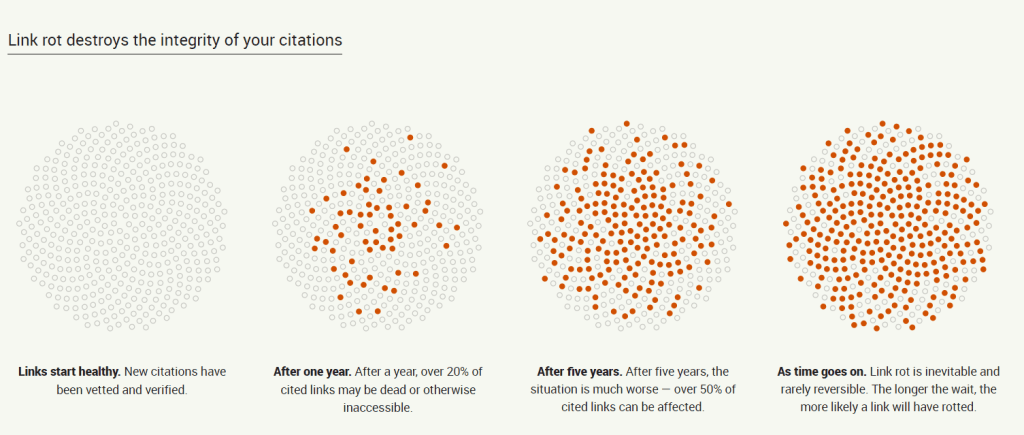
The Perma.cc website shows how quickly website links can become broken: over 20% of links may no longer work a year after a site is created, and more than 50% may be broken after five years. This proves the need to add pages to a web archive.
How does the Wayback Machine work?
Let’s look at what you can do on https://web.archive.org using the website forbes.ua as an example. We see that snapshots of the site began to be saved from the early days of the Wayback Machine. Most snapshots were made from 2021 to today. This is clear from the timeline graph of archived pages.
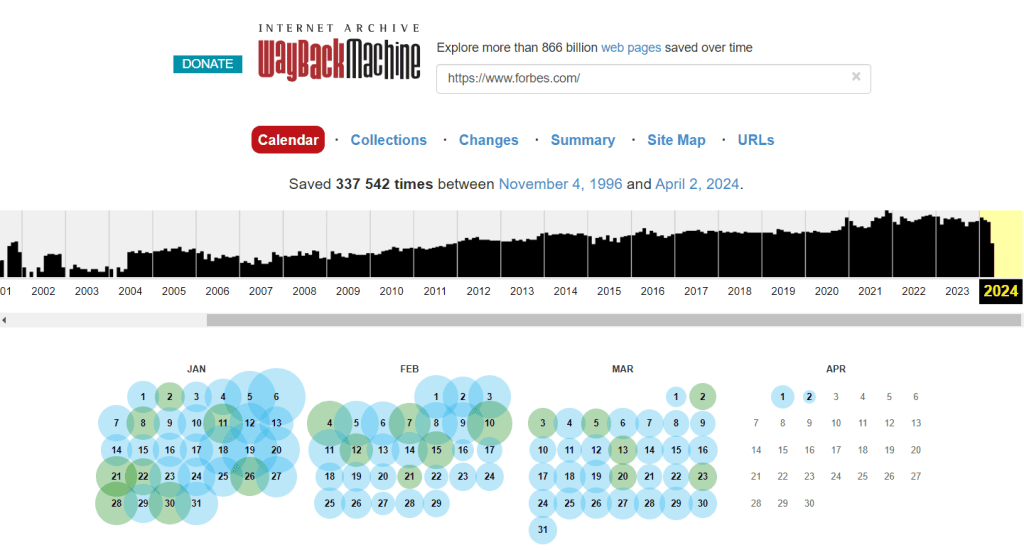
The size of the blue dots—which represent the saved pages—shows how many copies were made on a specific date. The larger the dot, the more times the website was archived on that day. A green dot means the copy was made successfully. An orange dot means there were some errors while saving the page. A red dot means there were serious problems during the archiving attempt.
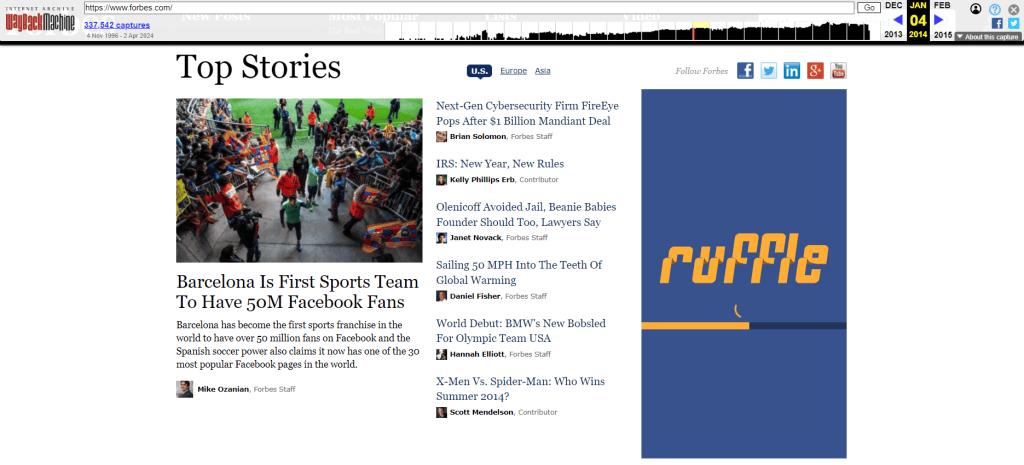
So, the best option for viewing is to choose a blue dot. Let’s pick one for our site, for example, June 4, 2014. If you click on that date in the calendar, the site will open as it looked back then, with all links still active. In some cases, you can even choose the exact time of day from several options provided by the service.
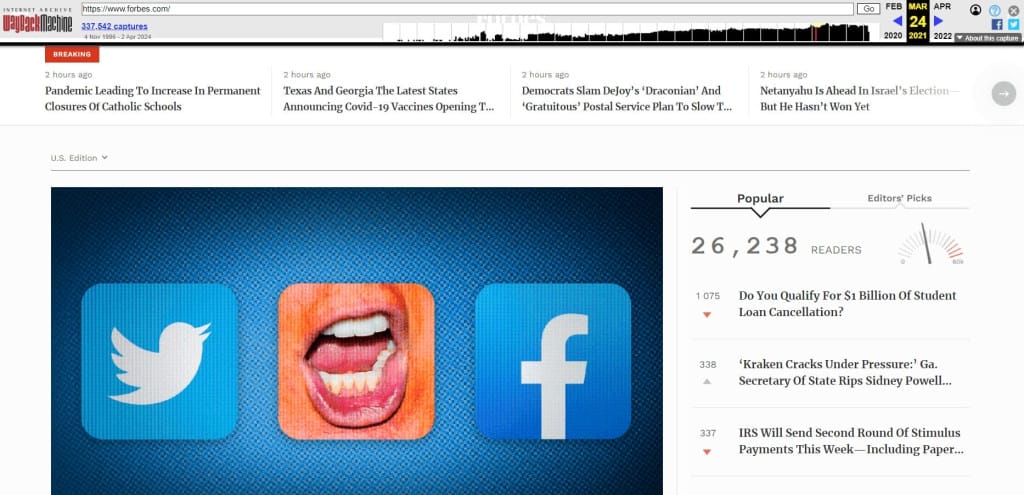
You can then go to any other date. For example, this is how the same news page looked in August 2022.

If you need to view an archived copy of a page from a specific date, use a Google search in this format: http://web.archive.org/web/20210323/https://forbes.com, where 20220224is the year, month, and day, and https://www.forbes.com is the URL of the page you want.
Visitors of the Wayback Machine website can use the tools provided by the service:
- Calendar
- Collections
- Changes
- Summary
- Site Map
- URLs
📌 Read the article: What Is GDPR, Personal Data, and Cookies
For example, the “Collections” tool shows the reasons for archiving different URLs. In this case, collections mean groups of crawls that have specific goals or focus on certain domain categories—such as pages with broken links or regional web resources.
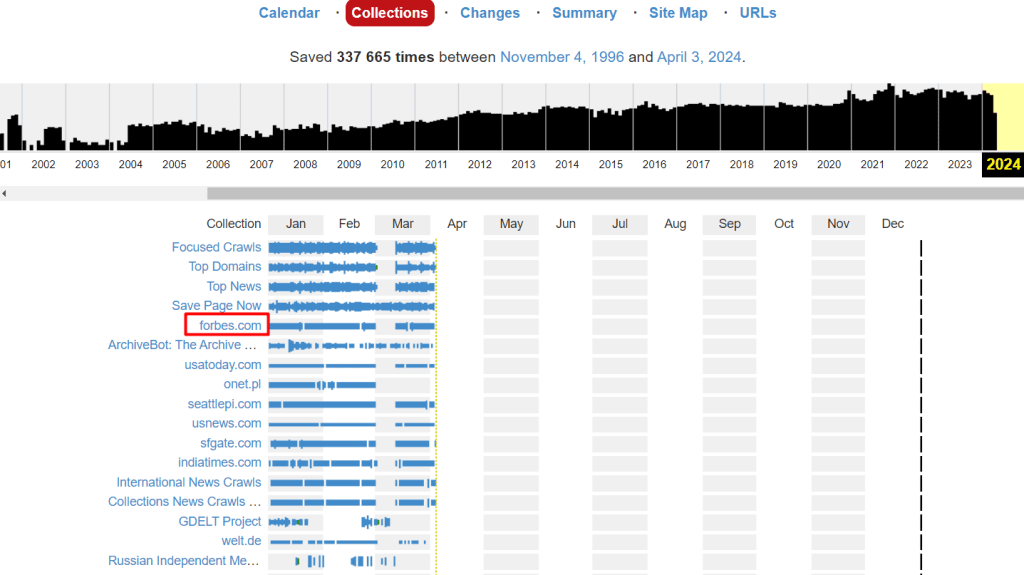
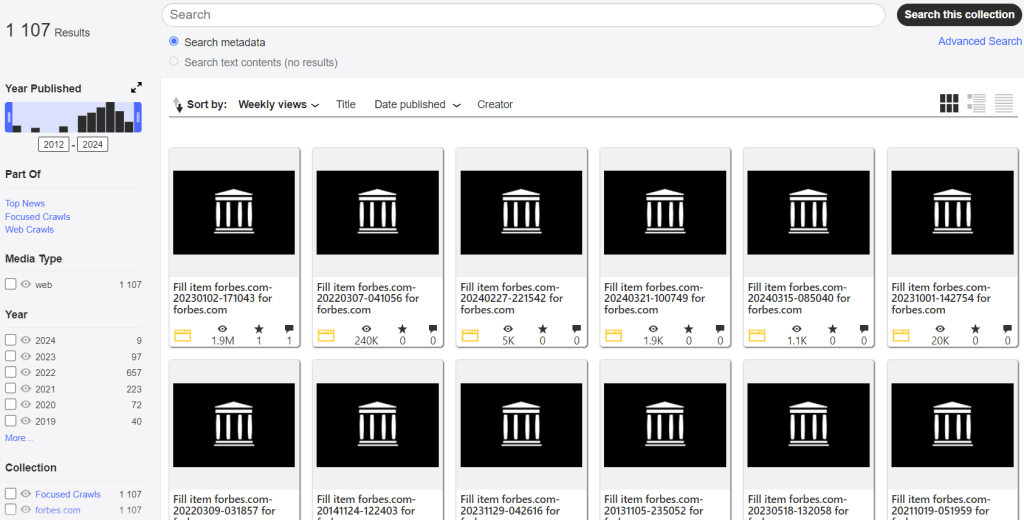
To view more information about a collection, just click on it.
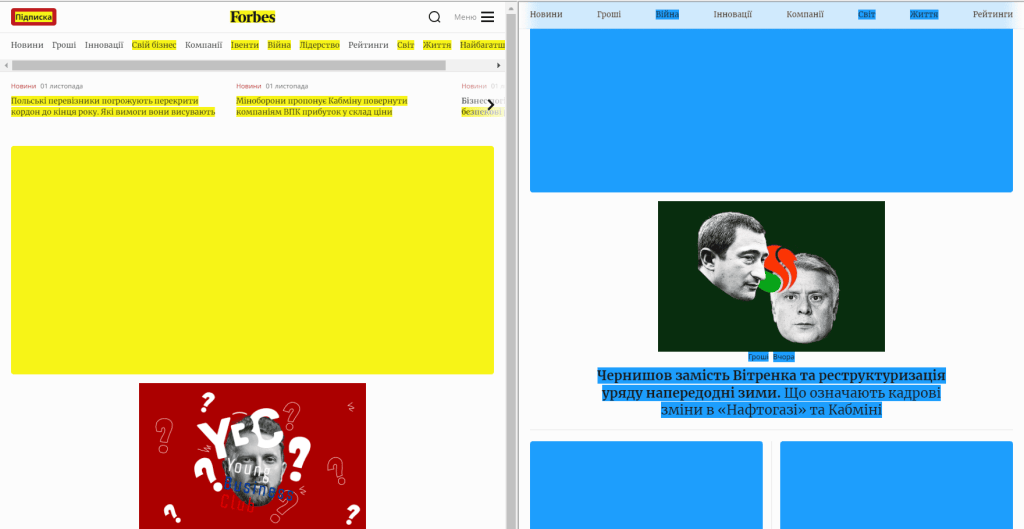
The next tool is Changes. It helps you see what content has changed on archived pages. New content is marked in blue, and removed content is marked in yellow.
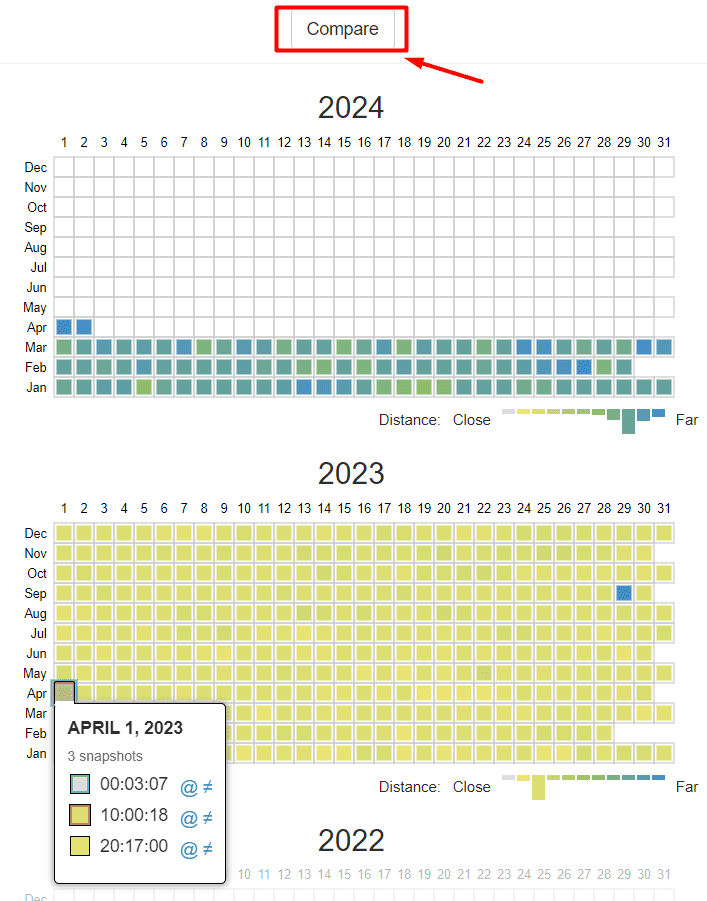
You need to select two dates for comparison and click the Compare button. This allows you to see two versions of the same page—for example, from April 1, 2022, and April 1, 2023—side by side.
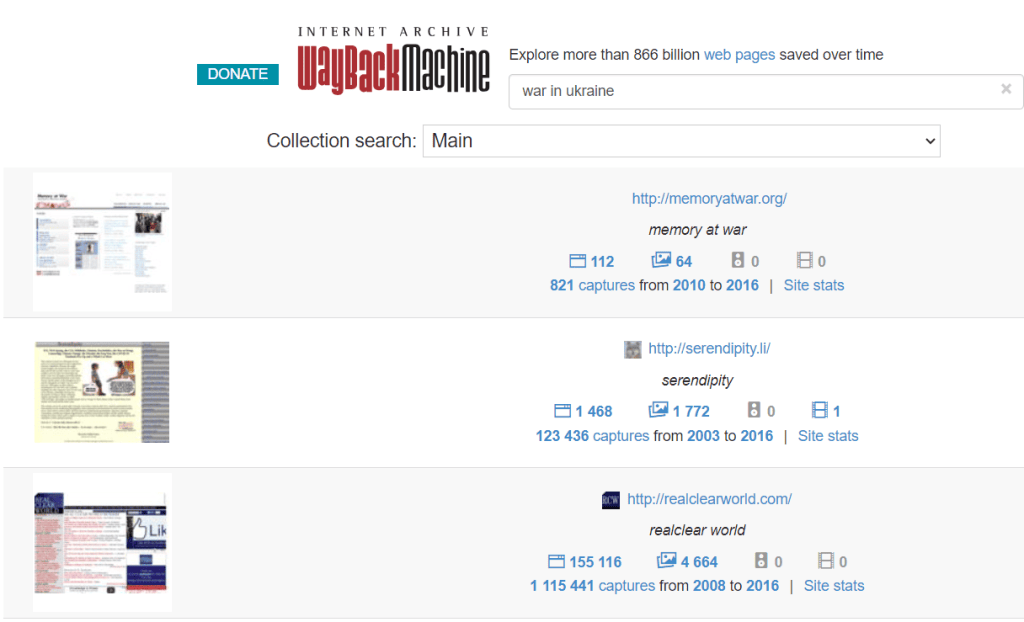
Instead of entering a specific page URL, you can type a search query. The service will show you saved website pages related to that topic.
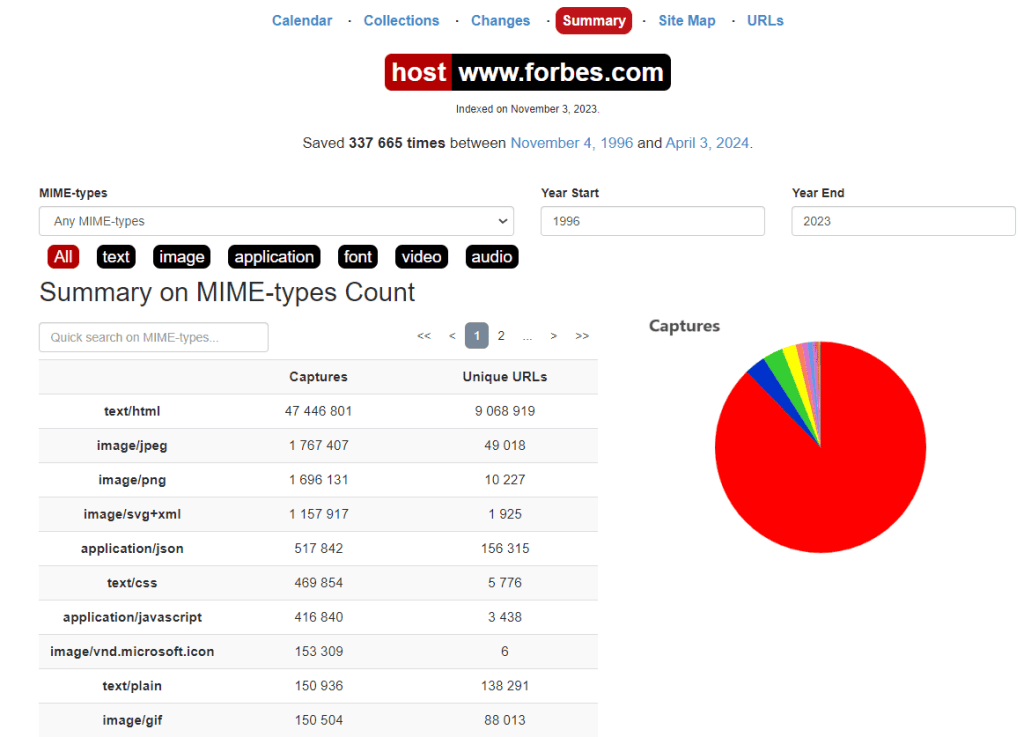
The Summary tool lets you view statistics for any time range. The data is shown in charts and tables.
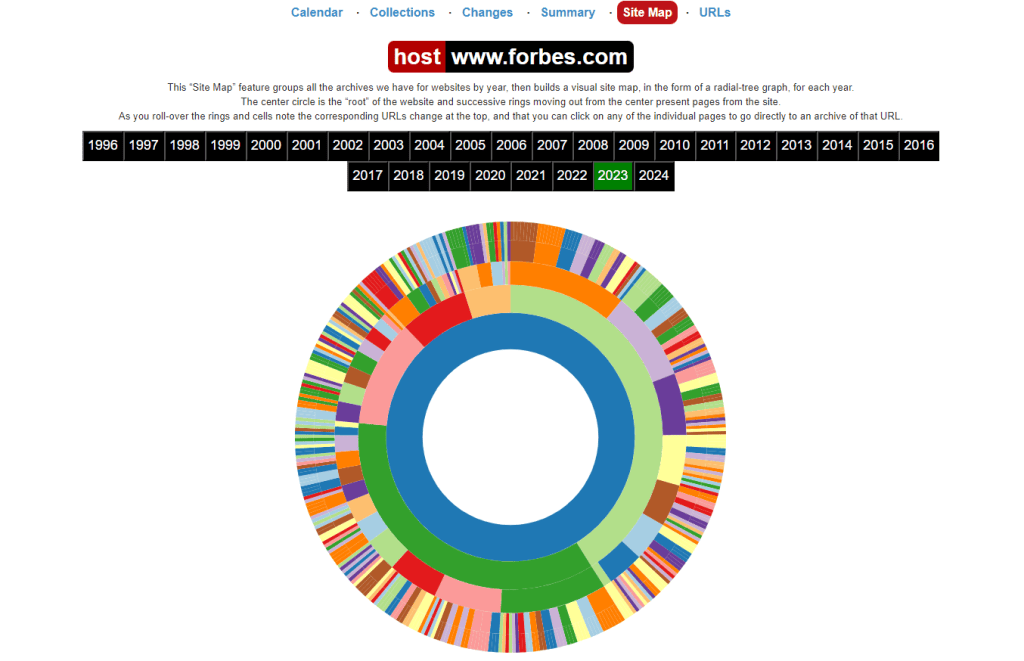
The Site Map tool shows a visual site map with a diagram for each year. The central circle represents the root of the website, and the surrounding rings show the website’s pages in sequence.
To go to the archive of a specific URL, just click on the corresponding section.
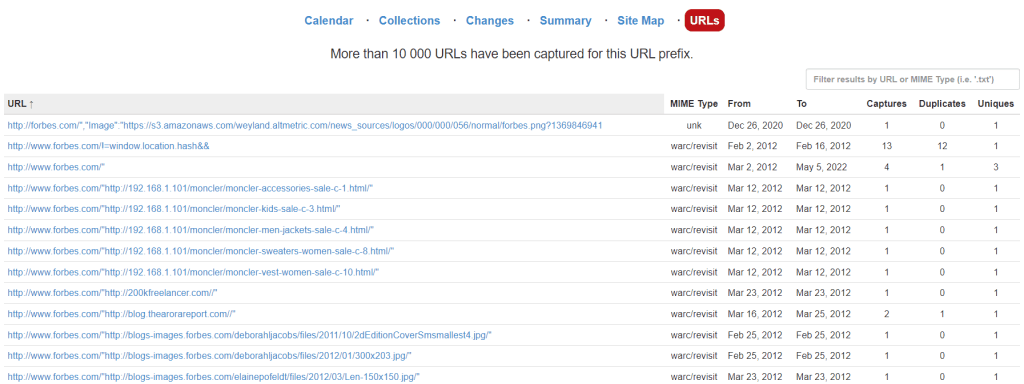
The last tab, URLs, shows how many unique files are stored in the archive.
How to stop your website from being added to the web archive?
A website owner can block their site from being added to the web archive. This is often done to prevent illegal copying of content or before selling a domain name. To block access, the owner should contact the web archive’s support team or use a robots.txt file. Also, web crawlers do not visit sites that are password-protected.
In the first case, a request should be sent to info@archive.org with the domain name included in the message.
Adding a special directive to the robots.txt file blocks access for web crawlers, but previously archived pages will still be available in the Wayback Machine. Users will still be able to see what the site looked like in the past
The directive to block web crawlers looks like this:
User-agent: ia_archiver
Disallow: /
User-agent: ia_archiver-web.archive.org
Disallow: /
Remember that the robots.txt file must be placed in the root directory of the domain.
How to recover a site from the Web Archive?
To make a copy of a URL and add it to the archive, you need to enter the link on the Wayback Machine homepage and click “Save page.”
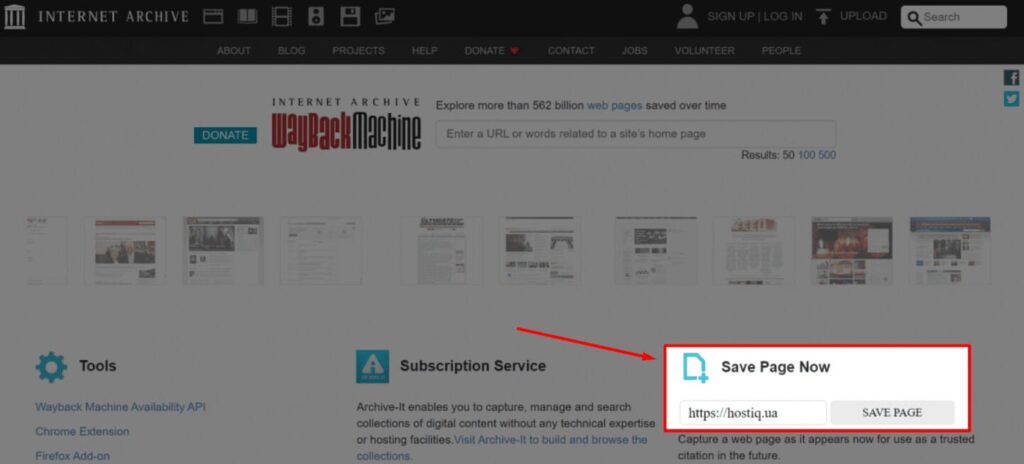
It’s a good idea to do this before making big changes to your website. This way, you can restore your site from the archive if there’s a crash, a hacker attack, or data loss.
Of course, saving every page of the site one by one takes too much time and effort. The Internet Archive offers a paid service called Archive-It that automates this process.
If a page was deleted before it got saved in the web archive, you might still find it in Google’s cache. To do this, type a link in your browser like cache:URL, where URL is the page address you need. For example:
cache:https://www.forbes.com
But this method isn’t perfect because the cache only keeps the most recent version of each page. The search engine bot updates old versions with new ones regularly—sometimes every day, or at least twice a month.
If you only need one or a few pages, you can manually copy the text and code, and save the images. To save the page code, go to it in the Wayback Machine, right-click, and choose “View page source.” Copy the code and paste it into a text editor to save it as an HTML file.
There are also special scripts that help restore an entire website at once:
- Wayback Machine Scraper;
- Wayback Scraper;
- Hartator Wayback Machine Downloader (Ruby).
Some paid third-party tools, like Wayback Machine Downloader, can help recover a website from the web archive. Most of them offer a free trial to test the features.
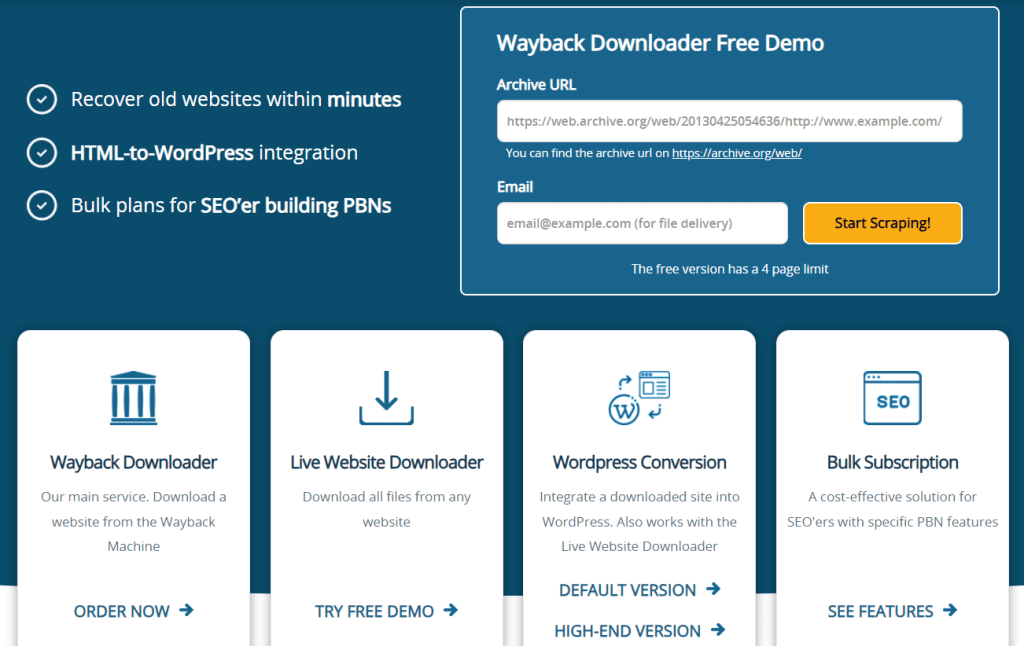
Sometimes a page is available, but the copy is missing images or parts of the content. This may happen if the site was only partly saved by the Wayback Machine. A version from a different date or time might be more complete.
Conclusions
Web archives help save and show the history of the internet. They give access to old versions of web pages and digital files for research, analysis, or general use. This is especially useful after major hacker attacks on important websites.
The Internet Archive is a nonprofit library of books, software, websites, audio, and video. The most popular free web archive is the Wayback Machine. It gets copies of web pages through manual saves and automatic scans by special bots called crawlers.
Some private companies and organizations have their own archiving systems for internal or commercial use.
Frequently Asked Questions
A web archive is a collection of websites saved for historical or reference use. These archives record web page content at different times, letting users view old versions or pages that no longer exist online.
To visit a web archive, go to web.archive.org.
You can visit the Wayback Machine website and enter the URL of the page you want to see. The service will search its database and show a calendar of available dates. You can then pick a day and time to see the archived version of the page as it appeared back then.
The internet’s history is stored by organizations that archive digital content and websites. One of the best-known is the Internet Archive, a nonprofit behind the Wayback Machine.
Archived pages from the Web Archive are saved on the Internet Archive’s servers. They are organized by URL, date, and time.
The Wayback Machine constantly scans the internet, visiting sites and indexing their content. When it finds a page, it captures a snapshot of the content, including text, images, and media.
-
Tags
