

TRANSLATE VOICE TO VIDEO: SOLUTIONS FOR CONTENT MAKERS
-
Post author

-


Automatic content translation expands marketing and advertising opportunities. There are tools that simplify the video localization process for promoting a company or personal brand. You’ll be able to connect with your target audience no matter where in the world they are watching your content. This is especially important for businesses not limited by geography.
What’s Inside?
Why translate videos?
If your business has no geographic limits and you’re ready to scale, use AI-powered video translation platforms.
Here’s why video translation is beneficial:
- Expands your reach and increases brand awareness.
- Boosts audience engagement—brands that speak the customer’s language stand out
- Eables multilingual visual podcasts, courses, and training—ideal for online coaches, educators, and therapists.
- Allows converting audio recordings into video format, translating voice memos, and creating audiobooks or podcasts.
- Opens up participation in international online events and partnerships.
- Drives sales and helps grow your social media followers.
- Makes it easier to enter new markets by adapting your product-related content.
- Improves discoverability—new followers and clients can find your videos via search or YouTube.
For better discoverability, translate descriptions and add relevant keywords in the target language. Keep in mind that search phrases vary by region, so don’t just translate your current keywords—research new ones for each language.
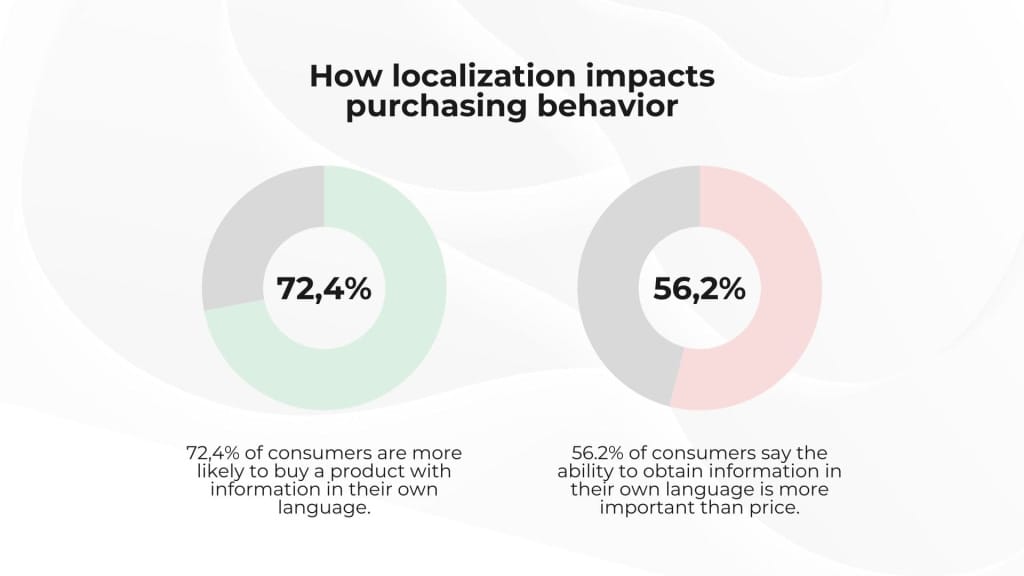
Global brands already market in multiple languages. YouTube alone has 100+ localized versions and supports 80+ interface languages. According to Common Sense Advisory, over 72% of consumers are more likely to buy a product if they can read about it in their own language.
Even if you don’t speak other languages or think your current audience is enough — remember: only about 20% of the world speaks English. If your content is high quality but shared in a niche language, you’re missing out on huge potential — and leaving money on the table.
There’s a difference between translation and localization. Translation is part of localization, but localization includes more. Adding subtitles in another language isn’t full localization. You need proper voice-over, translated descriptions, and announcements too. For high-quality localization, consider cultural context, measurement units, local trends, symbols, and relevant news for your target region.
📌Read the article: What is a content plan
AI-Based Video Translation Tools and Platforms
You can break language barriers manually—but let’s be honest, you probably don’t have the time to translate every video yourself or hire a dedicated team member. It’s better to focus your resources on creative and profitable work and leave routine translation to AI.
Let’s look at popular tools that use artificial intelligence to add voice-overs in the desired language. These are great for Instagram Reels, YouTube, TikTok, and other platforms.
Vidnoz AI
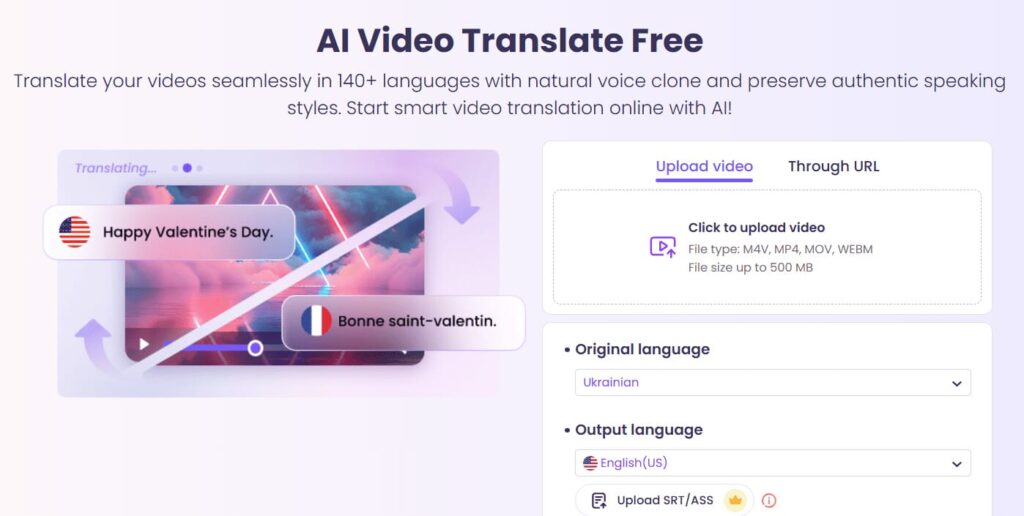
This service supports over 140 languages, keeps the speaker’s intonation, and includes lip-syncing for a natural-looking result. Subtitles are also available. Free users get 4 minutes per month—otherwise, you’ll need a paid plan.
- It works with all major video formats—MP4, MOV, WEBM.
- AI voice cloning helps preserve emotion and tone.
- Browser-based—no download needed.
- You can download translated videos easily and quickly.
- You can even translate YouTube videos—just save them offline and upload to the Vidnoz YouTube Video Translator.
- Other features include an online editor, recorder, and more.
- Includes a free AI script generator and video template library.
Fliki
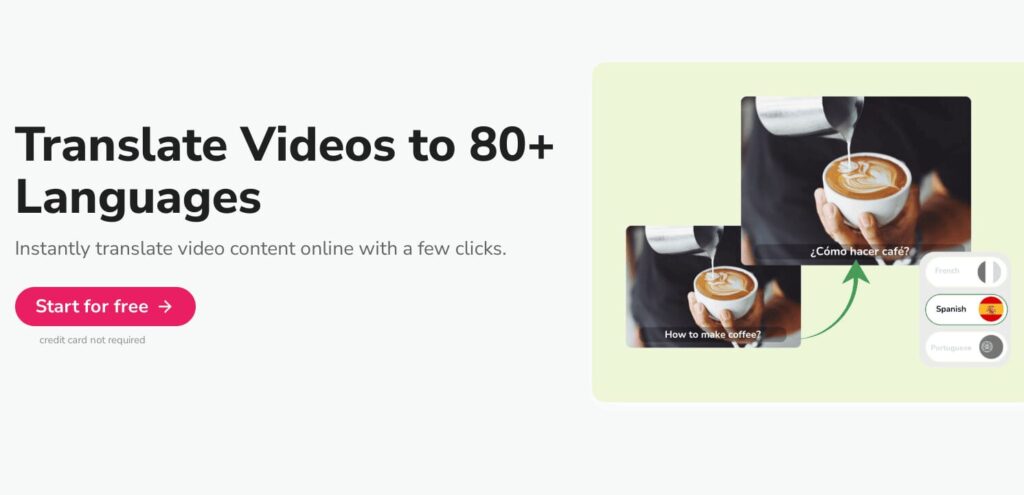
The AI voice generator Fliki Video Translator supports over 80 languages and, according to its website, offers cultural accuracy and linguistic precision. The $28/month plan includes 180 minutes of video, while the $88 plan gives you 600 minute
- Includes voice cloning of the speaker.
- Library of realistic standard voices.
- AI avatars.
- Team collaboration features.
- Videos can be generated from product lists, blog posts, or presentations.
Kapwing
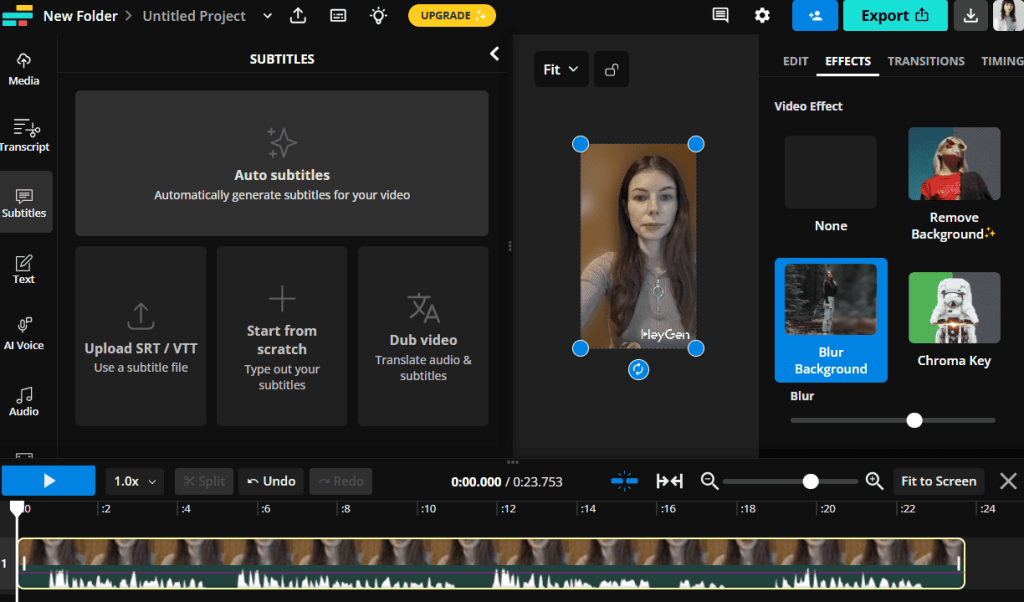
Supports 60+ languages and offers a full suite of video editing tools.
- AI-generated subtitles.
- Exports subtitles in various formats (SRT, VTT, TXT).
- Includes video effects, backgrounds, transitions, and styles.
On the free plan, you can create 3 minutes of text-to-speech video monthly and generate automatic subtitles for up to 10 minutes of video. Audio translation is only available on the PRO plan for $16/month.
Vimeo
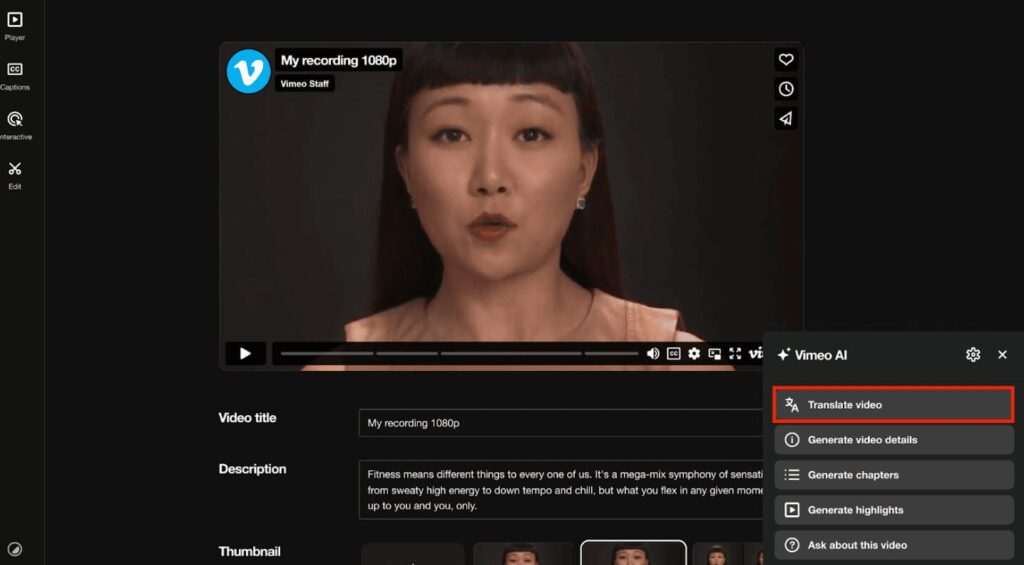
Supports 50+ languages, with fewer available for audio translation. The translation feature is only available on the Vimeo Enterprise plan. You can translate videos up to 45 minutes long.
- Includes live webinar broadcasting (on premium plans).
- Offers many tools for video creation and team collaboration.
- No lip-syncing available for translated audio.
These tools help you engage a global audience and give your content a second life. Any video you’ve already created can be shared with new viewers who speak other languages. You don’t need to install a language-learning app or practice pronunciation—just pick one of these services and get started.
📌Read the article: 11 tools for detecting AI-generated content
HeyGen
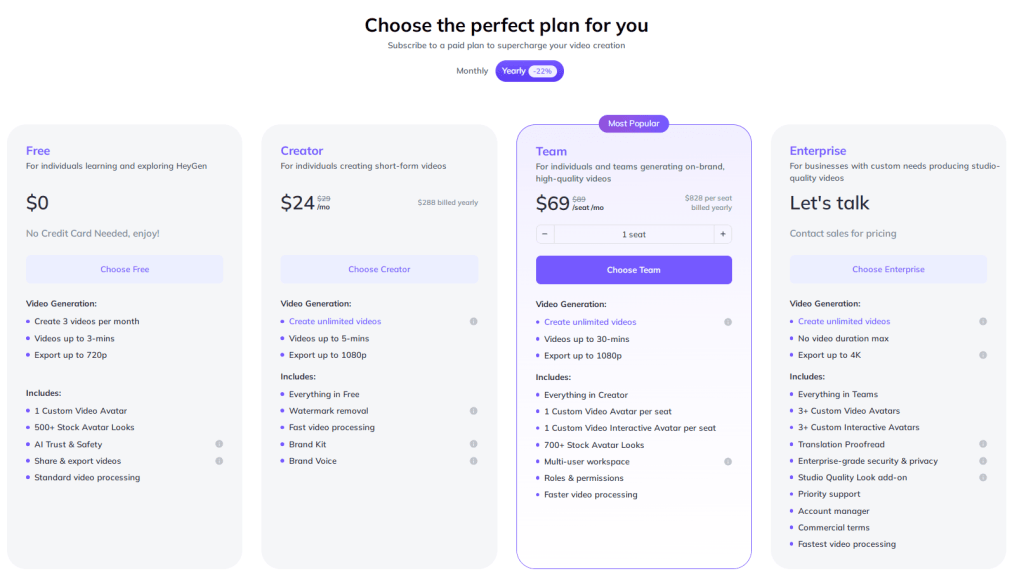
This platform deserves special attention. On the free plan, you can create 3 videos up to 3 minutes each per month. The $24/month Creator plan allows unlimited videos up to 5 minutes, watermark removal, and faster processing. The $69/month Team plan supports videos up to 30 minutes. For enterprises that need studio-quality results, HeyGen offers corporate-level security, custom pricing, and commercial rights.
The more you pay, the more content you can export and the faster your videos will be processed.
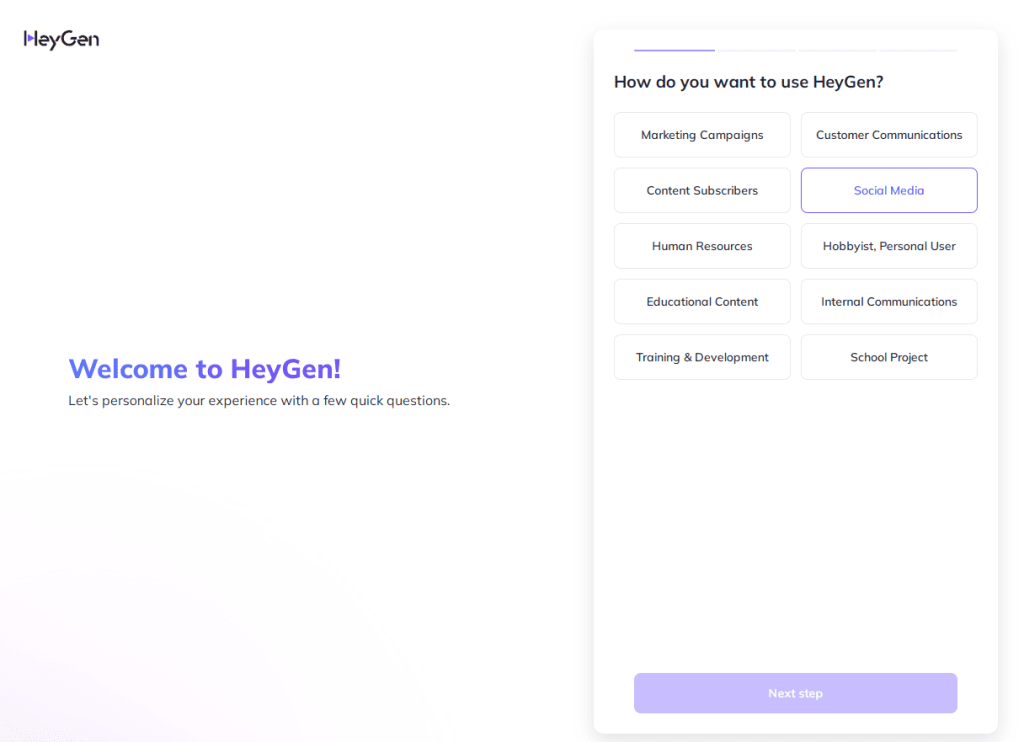
During sign-up, you’ll take a short quiz. Its goal is to learn how you plan to use the platform.
The interface is very simple. Honestly, I usually struggle with these platforms, but this one was easy to use right away.
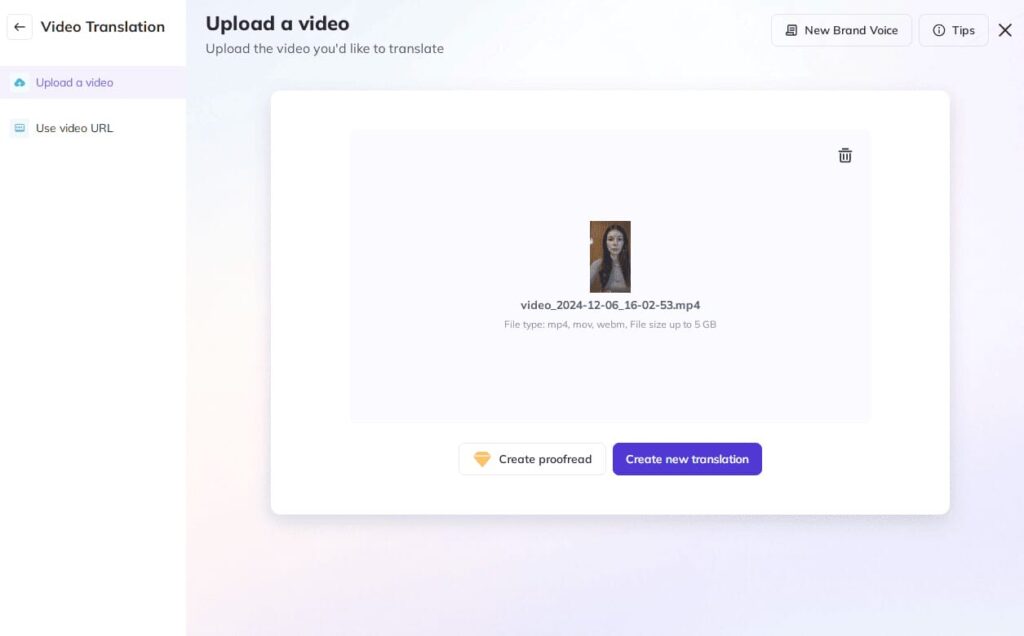
After uploading a video, you’ll need to select the original language and choose a target language. You can uncheck the lip-sync option, but it’s better with it. The AI-generated lip movements looked surprisingly natural to me—it was a pleasant surprise.
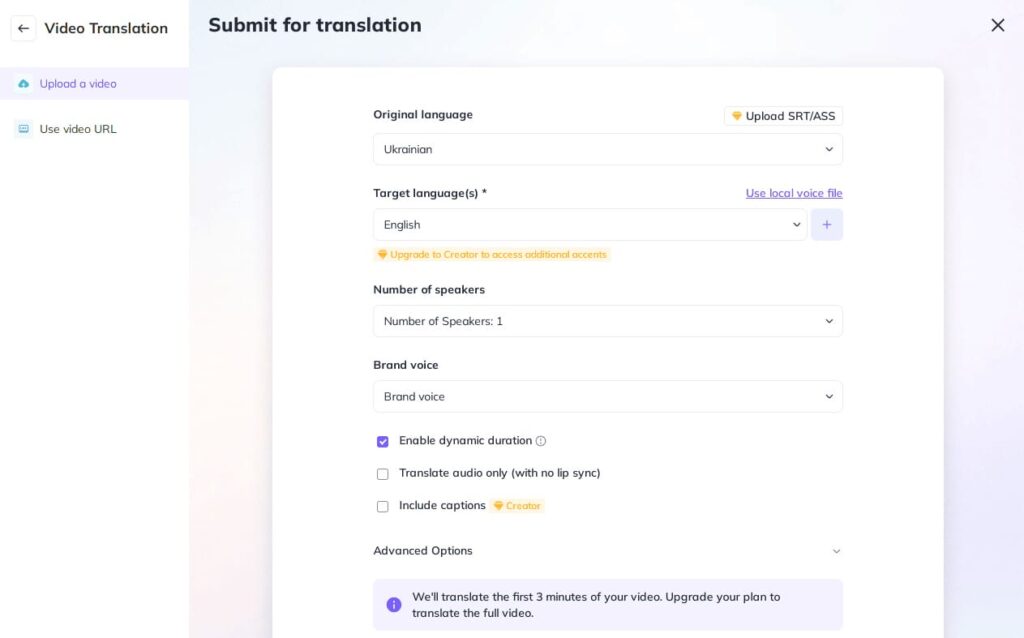
If your video is longer than 3 minutes and you’re on the free plan, only the first 180 seconds will be translated. If your video is shorter, you can make up to three full videos. Reels take about a minute to process.
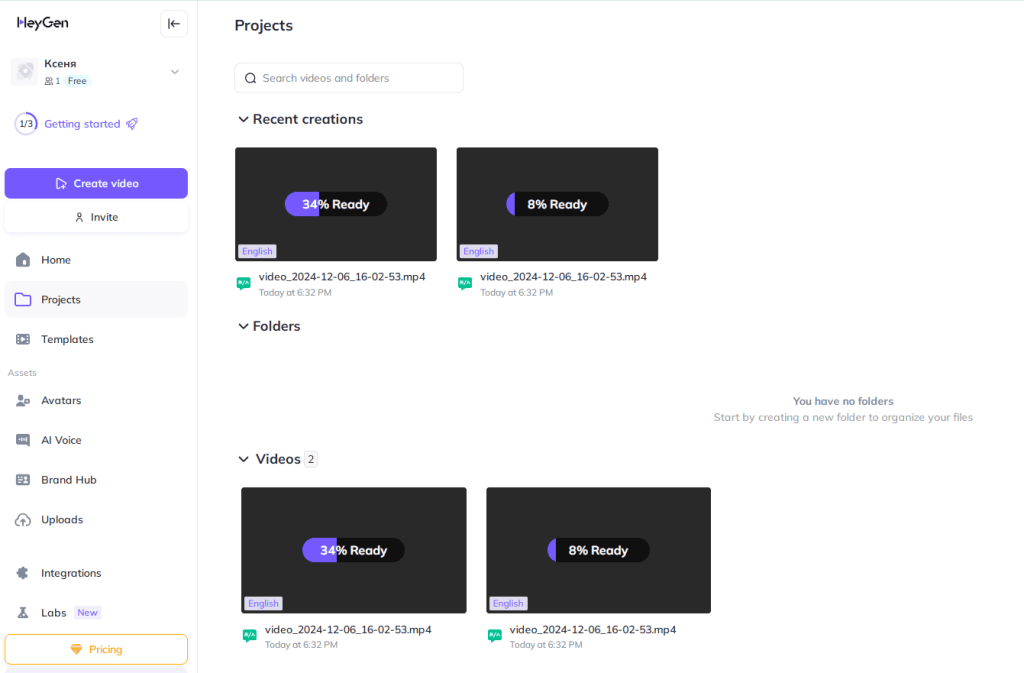
After translation, you can customize sharing options, add captions or subtitles, enhance the voice, remove background noise, and more—depending on your plan.
You can also add a video title and description. You can either download the video or share it via link.
You can also add a video title and description. You can either download the video or share it via link.
Watermark removal is only available with a paid plan. The button is in the bottom left corner of the menu. Once you turn it off for one video, it stays off for future ones too.
Same goes for subtitles—only available to paid users. In my opinion, the Creator plan is even good for teams, especially if you only need to translate short videos for Reels, Shorts, or TikTok.
Conclusions
Video localization helps you enter new markets. Your product might be in high demand abroad, but people there may not know about you. If your target audience speaks a different language, take a step toward them. Create multilingual content and adapt your videos to fit the needs of audiences in different countries.
Video localization can include adding foreign-language subtitles, translating video descriptions, translating text in visuals like infographics, and adapting social media posts. Each of these small tasks is part of your global marketing strategy. To help Google recognize your efforts, include foreign-language keywords in your text and ad campaigns.
Voice cloning tools let you keep the tone, emotion, and voice quality of the original speaker. These technologies save a lot of time if you want to break language barriers quickly and share valuable content in other languages—even if you only speak one or two yourself.
FAQ
There are many AI-based tools for automatic video translation, including HeyGen, Vidnoz AI, Kapwing, Vizard.ai, and Fliki.
Voice translation is a key part of content localization. It helps you reach international markets and expand your audience.
-
Tags
