


HOW TO CREATE THE PERFECT FAQ SECTION ON THE WEBSITE?
-
Post author

-


The FAQ section makes a company more open to customers. Not every customer wants to call a support center to clarify details about cooperation or payment options. Some parts of the ordering process or the product itself may cause doubts, and a website visitor will likely leave and go to another site rather than look for contact methods, write emails, leave their phone number, etc. The “FAQ” section together with a chatbot helps inform customers any day, at any time.
What is this About?
- What is an FAQ section and why is it needed?
- How to grow organic traffic using FAQs?
- What questions should be included in the FAQ section on a website?
- How to format answers to questions on a website? FAQ page examples
- Conclusions
What is an FAQ Section
An FAQ section (“Frequently Asked Questions”) gives answers to common questions that customers have. A FAQ page can be a simple list with answers or a detailed help center with different types of content. In any case, the goal is the same for any business—to answer questions from website visitors. An FAQ doesn’t sell—it only informs. But this kind of information helps a lot with successful sales.
Some questions are only important at the beginning of the customer’s journey with the brand, like “How do I register on the site?” or “How do I place an order?” But each business has questions that matter at different stages of the customer journey. People don’t always want or have time to watch YouTube tutorials or talk to customer service. It’s much easier to type a question into the search bar and find an answer on the website.
For some industries, short answers aren’t enough, especially when it comes to using the product, like software. In that case, the best solution is a knowledge base. It should include a FAQ page and also full articles, often written as user guides.
Why do You Need an FAQ
An FAQ section plays an important role in SEO and in connecting with your target audience.
- Using keywords in questions and answers helps a website rank higher in relevant Google search results.
- Internal links on the FAQ page make it easier for users to find the right information, improve navigation, and enhance the website’s usability—which leads to better user behavior signals.
- The FAQ section brings together key information that can also be used on the company’s website and social media channels. It organizes all answers in one place and helps customers who are unsure, because the content in this section is always clear and straight to the point.
- Lowering customer support costs is another key benefit of having an FAQ section. If a business owner or marketer handles client questions directly, the FAQ can save a lot of valuable time.
- Boosting brand reputation. Detailed and expert answers build trust with potential customers and help the company stand out from the competition.
FAQ Components
The structure of the section can vary depending on the industry and company size. However, there are some common components for FAQ pages across all fields.
- Navigation menu—top or sidebar.
- Search bar. Make sure it works smoothly without delays or bugs.
- Frequently asked questions. This is the core of the section. It can be large, include dropdowns, tabs by category, etc.
- Popular articles. In some industries, detailed explanations are needed. These are best shown as articles with images or video instructions.
- Call to action and online chat widget.
Many brands combine the FAQ section with a Help Center. No matter how complex the product is, there are always a few questions that can be answered in a few words.
For retail chains with a wide range of products, especially tech companies, it can be useful to have separate FAQ sections for different audience segments. For example, Samsung offers 9 pages in the “Support” category:
- “Chat with Us”
- “Product Support”
- “Order Help”
- “Your Account”
- “Register Your Product”
- “Contact Us”
- “Samsung Community”
- “CEO’s Office”
- “Give Us Your Feedback”
In the “Order Help” section, customers can enter their order details and get personalized info. A helpful search bar is also available.
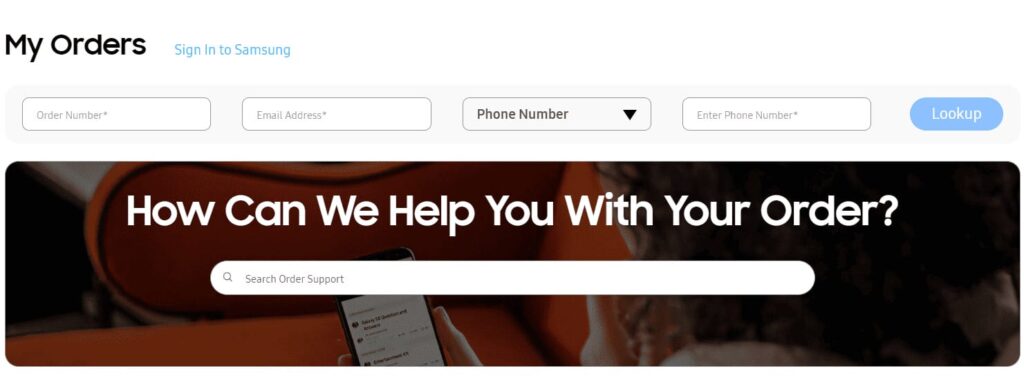
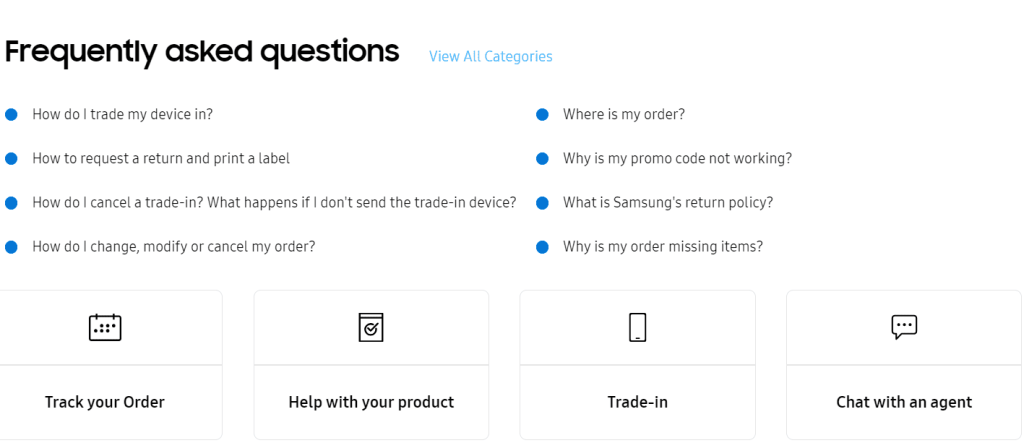
Next, the site visitor is shown answers to the most common questions, with features like “Track Order,” “Help with Your Product,” “Trade-In,” and “Chat with an Agent” highlighted.
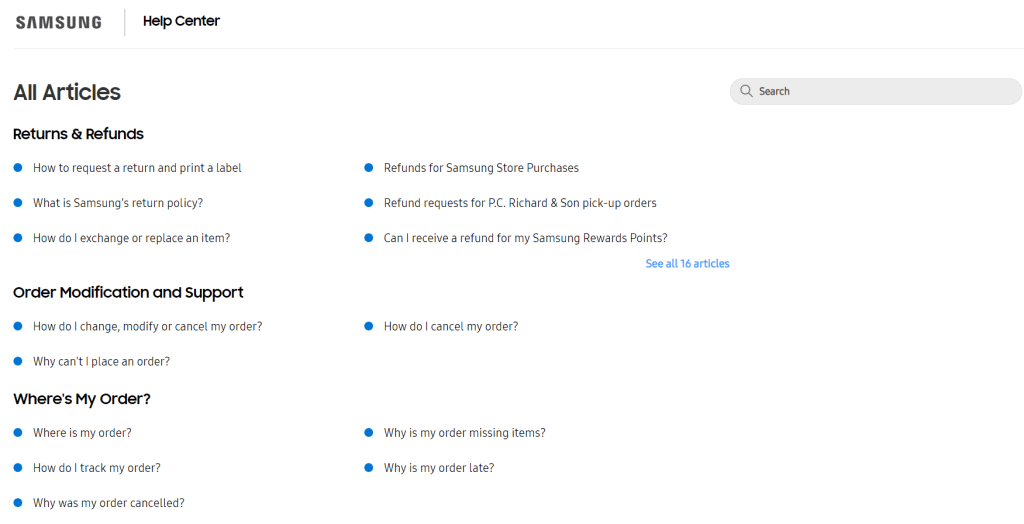
The “View All Categories” link takes users to the Help Center page with info articles. The texts are divided into categories like “Returns & Refunds,” “Order Changes & Support,” “Where’s My Order?,” “Shipping & Delivery,” “Payments,” and others. A search bar is also available for easier navigation.
Clicking on an article title takes the user to a page with the article and a sidebar called “Articles in This Section.”

At the bottom of the page are CTAs like: “Find quick answers in our FAQs below or talk to one of our agents—it’s your choice!”, “Contact Us,” “Keep Shopping with Samsung.”

Even though the articles in this section are only informational, each page also serves a business purpose. That’s because the questions, metadata, and texts include keywords that help bring visitors to the website.
📌Read the article: How to Reply to Customer Reviews
How to Grow Organic Traffic With an FAQ Section
FAQ pages are helpful for increasing organic traffic. If you build your FAQ section the right way, you can bring free targeted visitors to your site and improve your search ranking. To do that, follow a few important rules.
- Choose and add keywords. Use tools like Google Keyword Planner, Ahrefs, or Semrush Keyword Magic to find the right keywords.
- Add internal links. Internal linking is an important part of website optimization. It also helps users navigate your site more easily.
- Use FAQ schema markup. This piece of code helps Google understand that your page contains a list of questions and answers. It helps the page rank better in search results.
- Write short and helpful answers. Try to give useful information in just a few lines.
“Creating an FAQ page or adding an FAQ section to your existing content is one of the best ways to attract organic search traffic—especially when the search queries are phrased as questions.”—“How To Drive Search Traffic With An Optimized FAQ Page,” Amine Rahal, CEO of IronMonk
Clear and optimized FAQ answers can help your site appear in featured snippets—the special text boxes Google shows at the top of search results.
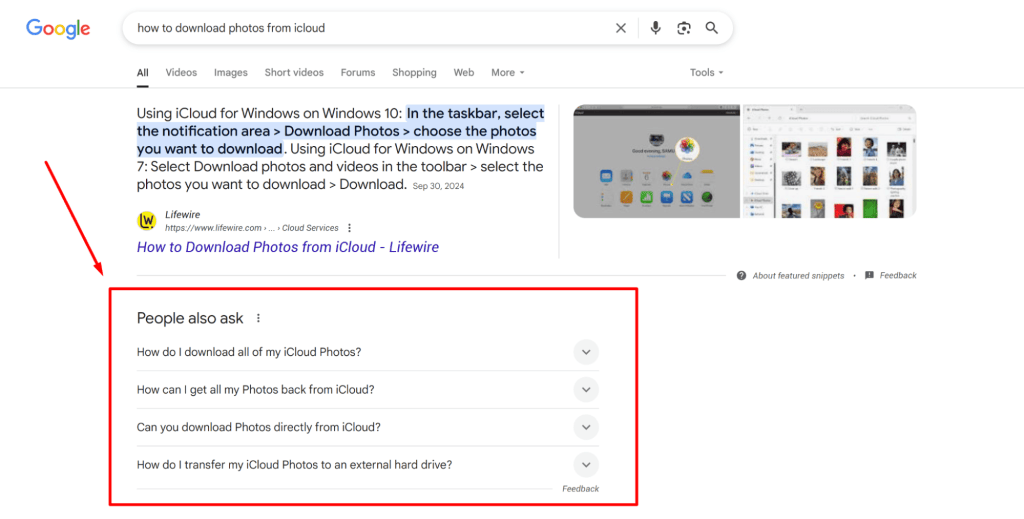
Getting featured helps build your brand reputation and trust. Users often click on these answer boxes to learn more, which can drive extra traffic to your site.
Google’s PageRank algorithm favors long-tail keywords—search phrases with three or more words. These often look like questions, which makes them perfect for FAQs. Don’t focus too much on keyword frequency. Short keywords are more popular, but that doesn’t mean they’re the best choice.
For example, the keyword “personal brand” gets 6,490,000,000 monthly searches and brings lots of traffic. But the competition is very high, and it can attract random visitors who aren’t your ideal audience, which may raise your bounce rate.
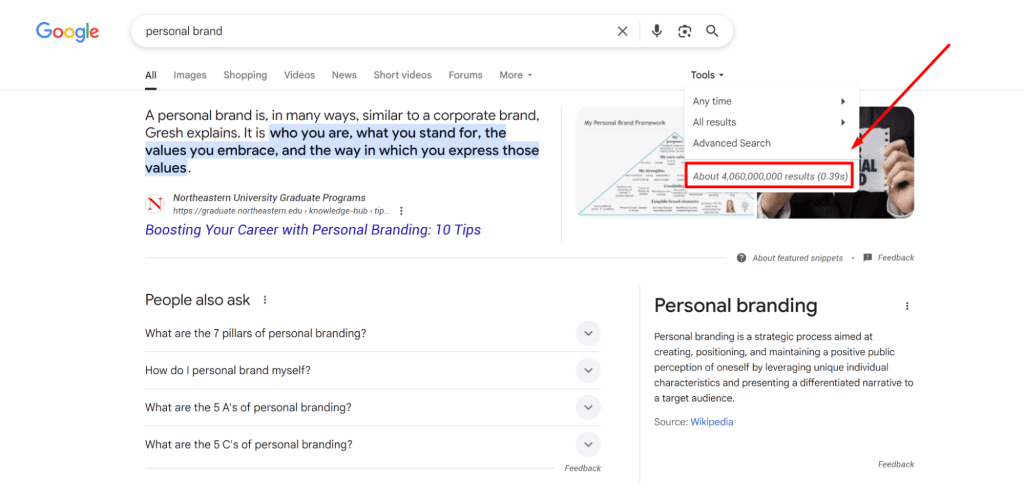
On the other hand, the query “how to promote a personal brand on Instagram as a doctor” has fewer searches—4,060,000,000 per month. But it’s more specific. People who type in this kind of question know exactly what they need. That means they are more likely to click on your link. Some of them might even become your clients—for example, students who found the right FAQ on a university website.

Long-tail keywords should be used as H3 or H4 headers. They should match your site’s topic and describe the content clearly. If not, PageRank may treat them as spam, and your site may be seen as not relevant to users.
Щоб підвищити довіру пошуковика та відвідувачів, доповніть відповіді посиланнями на авторитетні джерела. Бажано щоб це були сайти з рейтингом домену 60 або більше. Перевірити рейтинг можна у будь-якому з інструментів дослідження ключових слів.
To build trust with search engines and visitors, include links to trusted sources in your answers. Try to link to websites with a domain rating of 60 or higher. You can check domain ratings with any keyword research tool.
Google’s algorithms are always changing and now focus more on user experience (UX). That’s why even for SEO, the structure of your FAQ page matters. If your FAQ list is long, add a search bar. You can also include filters by category and other features to help users find answers faster. Make sure the design is simple, easy to use, and fits your brand style.
What Questions Should be Included in the “We’ve Been Asked” Section on the Website?
Many companies across industries include similar questions in their FAQ section. That’s because users usually want to know about service details, payments, warranties, and so on. These may include questions about accounts, orders, payments, and the product itself. Here are some common examples:
- How do I create an account?
- How can I update my account information?
- Do you offer a warranty?
- Do I need to sign a contract?
- Where is your company physically located?
- What should I do if my order is damaged?
- How can I track my order?
- What payment methods do you accept?
- Can I buy a gift card from you?
- How can I check the balance on my gift card?
- How can I check my loyalty points?
- Do you accept Apple Pay?
- How long does shipping take?
- Do you offer international shipping?
- Do you provide free shipping on orders over a certain amount?
Together with the sales and customer support teams, a marketer or copywriter should also prepare a list of business-specific questions about the product. These can cover troubleshooting, errors, updates, and usage tips for new users. If you offer services, make sure to explain the steps your specialists follow, expected timeframes, and any work guarantees. For hardware and software products, it’s important to list common user problems. Popular questions are often reused by other websites to attract traffic using brand-related search terms.
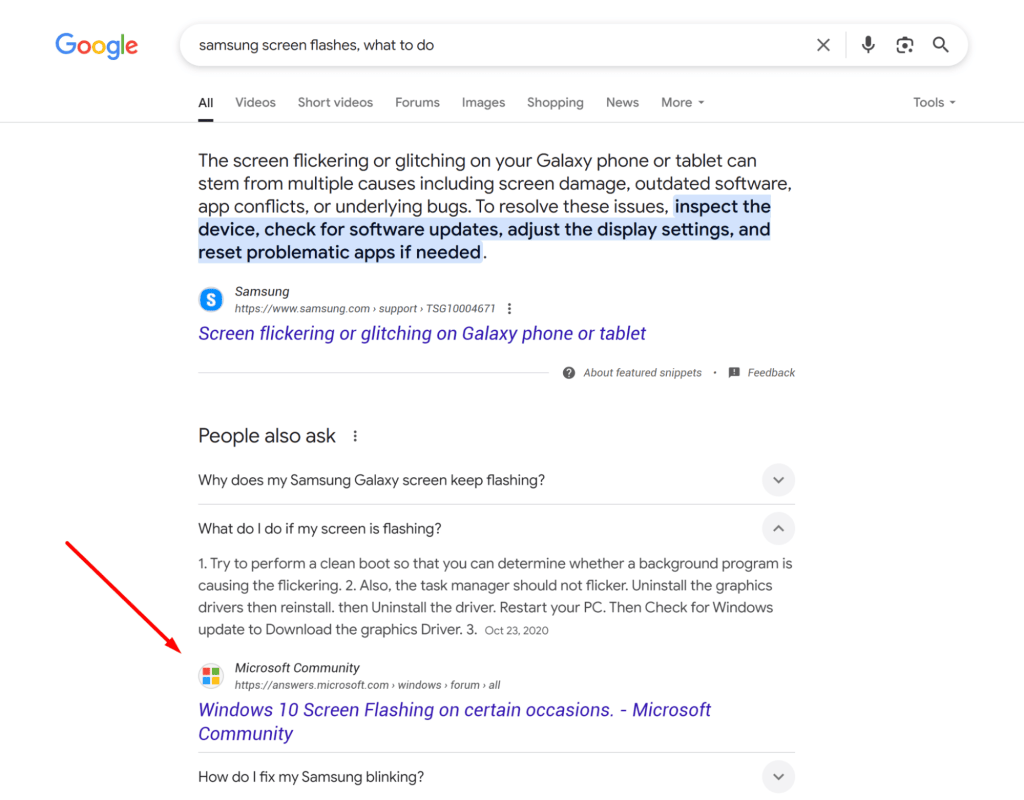
For example, if you search for “samsung screen flashes, what to do,” Google shows Samsung’s support page, but that’s not the only result. Other websites also have optimized guides on the topic.
The best way to find out what your customers want to know is to talk to them. Set up a brainstorming session with your sales and support teams. You can also create a focus group, ask them to use the site and product, and make a list of questions.
If your call center uses software, it’s easier to study what your target audience asks. You can regularly listen to customer calls and find questions that come up often.
“If your FAQ section has more than one page, one of the most important elements you’ll need is a navigation bar. If your search bar is hard to use or gives poor results, customers won’t have the patience to go page by page to find what they need.”—“12 Crystal-Clear FAQ Page Examples & How to Make Your Own,” Swetha Amaresan
To build a helpful FAQ section, you need to analyze large amounts of customer interaction data. Use tools like Google Search Console (GSC) and other analytics platforms. Data from social media interactions can also help you understand your customers’ needs and questions. It’s useful to track complaints and thank-yous in reviews, target audience questions on forums, and how your competitors (including those in related fields) structure their FAQ pages.
To find key phrases that include questions, you can use special tools. Many are free or partly free, like Semrush’s Keyword Magic Tool.
For example, enter the query “how to become a web designer?” and set the region to the U.S. and the language to English.

The tool offers around 100 keyword ideas related to your main question.

It’s best to answer questions in different formats, such as text, videos, infographics, and screenshots. Simple questions can be answered briefly, but some users prefer step-by-step video guides with visuals they can save to their device.
We recommend showing your answers to an editor who understands the product or service like an average user. They can simplify any content that’s too complex. This helps avoid bias when the writer knows too much about the product.
How to Format FAQ Answers on Your Website? Examples of FAQ Pages.
If you’ve already decided on the list of frequently asked questions and the format of answers, it’s time to create a prototype and layout for the section where this information will be published. The value of the FAQ depends on how it’s structured, how attractive it looks to the customer, and how easy it is to navigate. The link to the section should also be easy to see—place it in the website header and footer.
“FAQs have become an important part of websites, either as a separate page or as a section with several subpages for different questions or topics. Internal links to FAQ pages are now common in website navigation menus, the main text, or the footer.”—“FAQ,” Wikipedia
A long list of questions and answers that can’t be collapsed or searched easily can confuse users and push them to call customer service or search on Google, where they might land on your competitors’ websites. To avoid this, group the questions into categories. A good way to organize the content is with a top or side navigation menu, sorting tools, or filters based on key criteria.
📌Read the article: Customer Reviews—Types and Examples for Your Website
It might be a good idea to create separate FAQ pages for different audience segments. Don’t forget to follow your brand style when designing this section. That includes the visual design, certain graphic elements, and your tone of voice. Speak to your visitors the same way you do on your homepage, social media, or call center.
The Help Center on the e-commerce platform Etsy starts with a search bar and a “Help with an order” button. The section has two separate menus—one for buyers and one for sellers. Each menu includes topic-based help sections.
Articles for buyers are grouped into categories like “Order and Return Issues,” “Buyer Safety Tips,” and more. The seller FAQ section includes categories such as “Sales and Import Taxes,” “Getting Paid,” “Creating Listings,” etc.
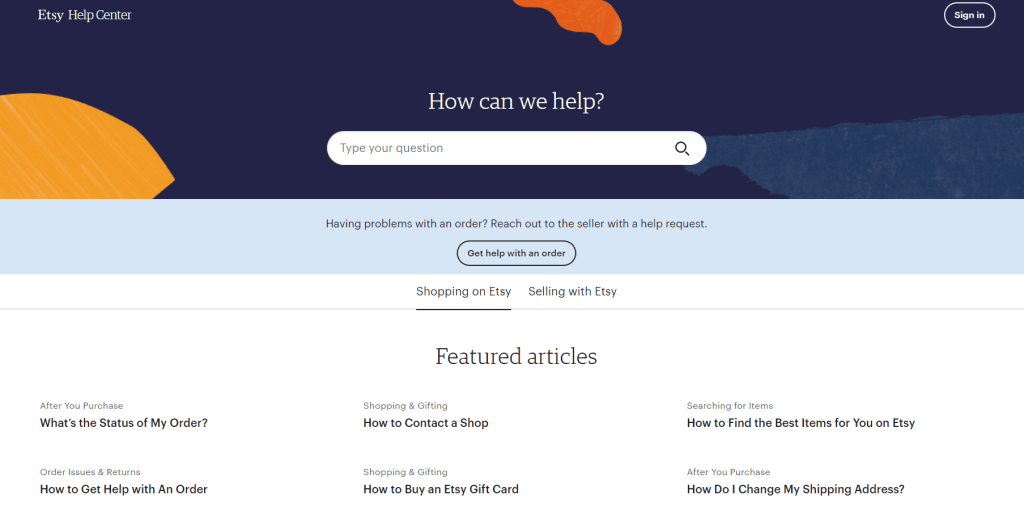
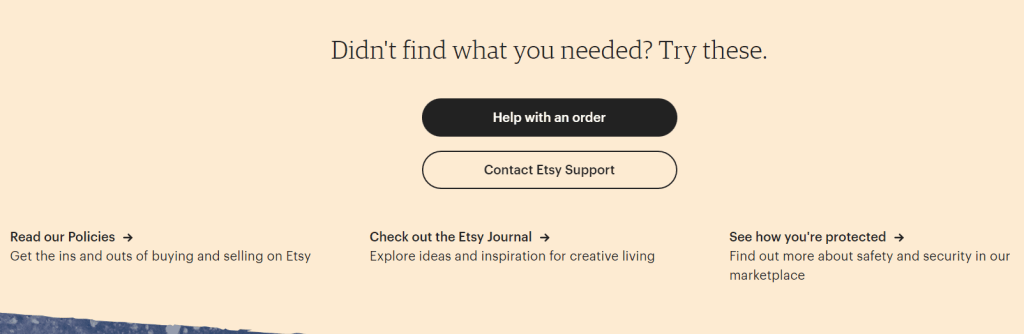
If a visitor can’t find an answer in any of the categories, they can ask for help with their order or contact Etsy support.
The FAQ page for the email marketing service Mailchimp also offers several ways to contact support. A sidebar with a list of categories and quick links improves usability. Some answers also include internal links.

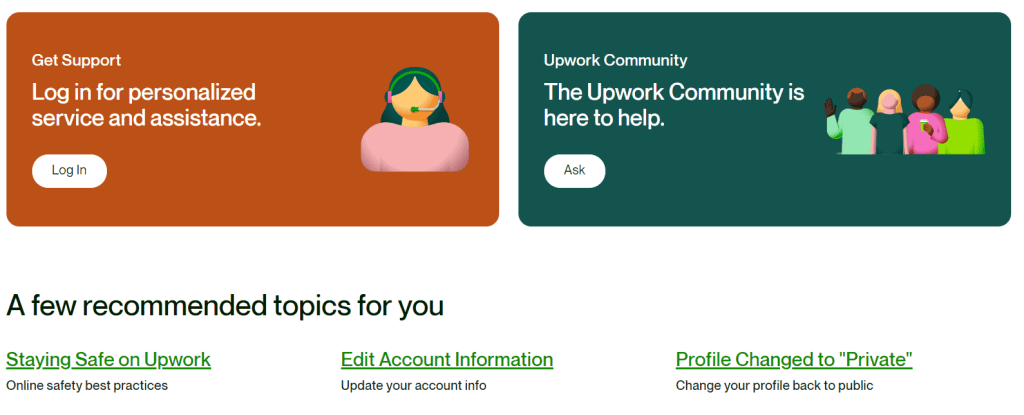
The help page for the job platform Upwork starts with a quick search. It’s especially user-friendly thanks to popular tags shown under the search bar.

A special feature filters articles for freelancers, agencies, and clients. The sections use graphics, which improves the overall look of the page.
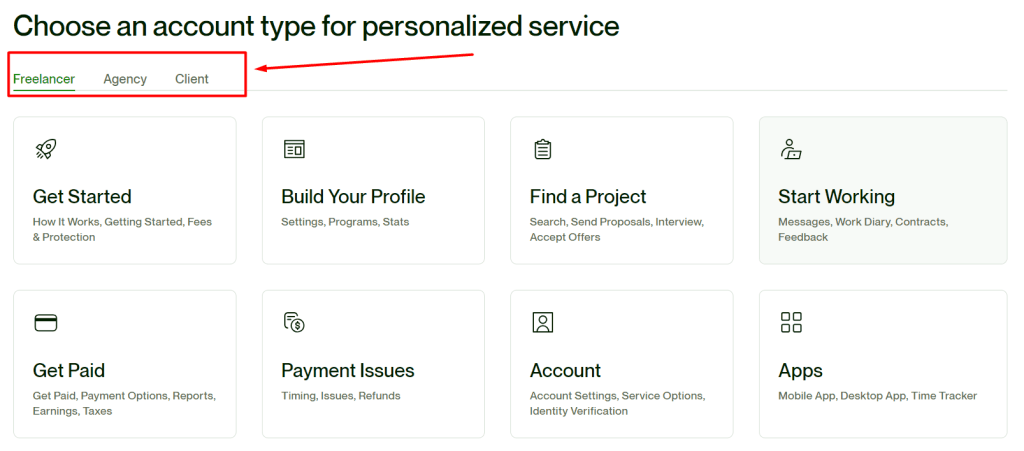
Help categories, suggested topics, and the option to contact a manager or the Upwork community make the page as helpful as possible.
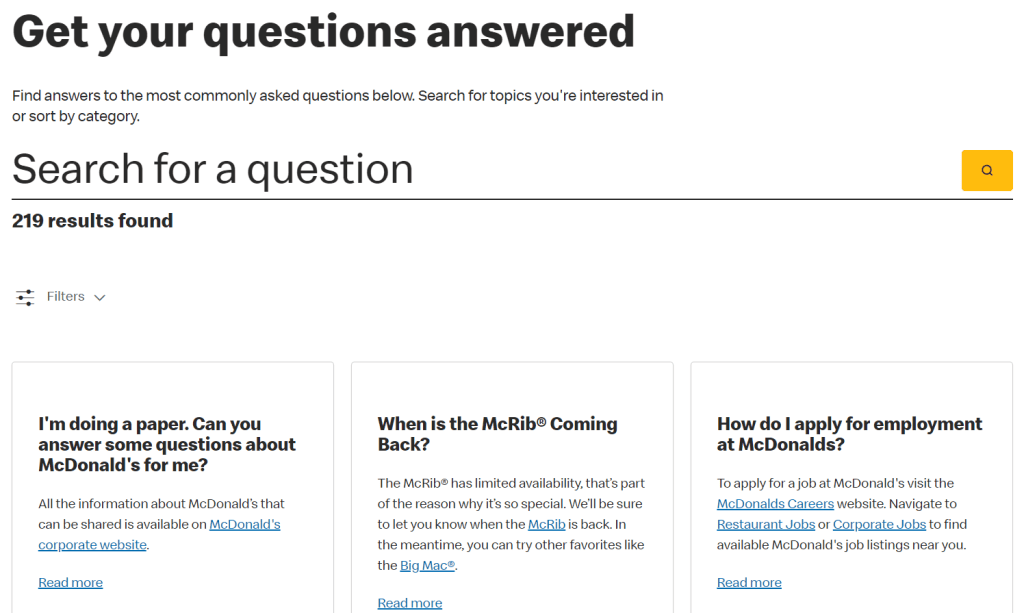
The FAQ page for the McDonald’s restaurant chain is very simple. The main focus is on the search bar.
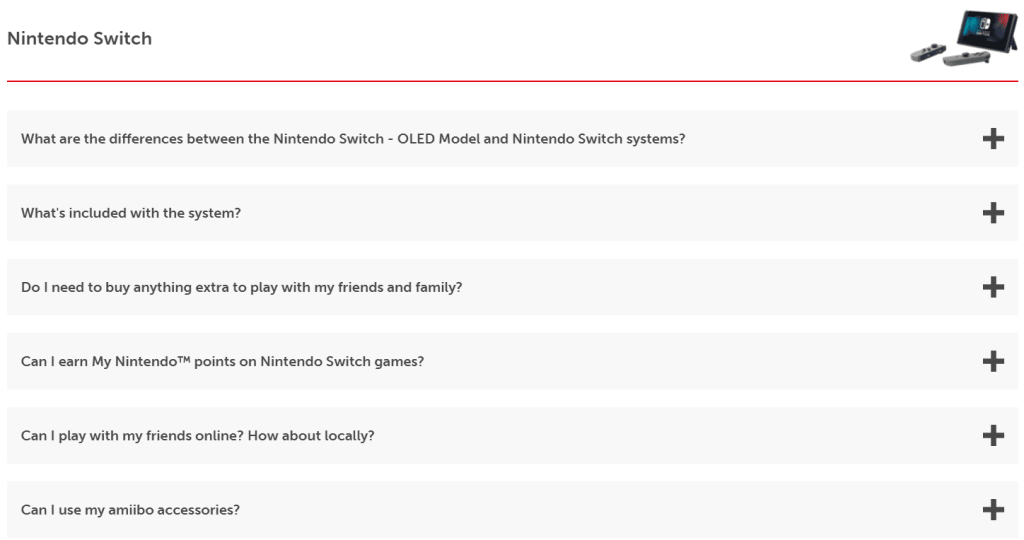
The Nintendo Switch page answers questions grouped into categories like “Nintendo Switch (OLED),” “Games and Accessories,” “Parental Controls,” and “Online Service.” Each section has its own graphics to make the user experience better.
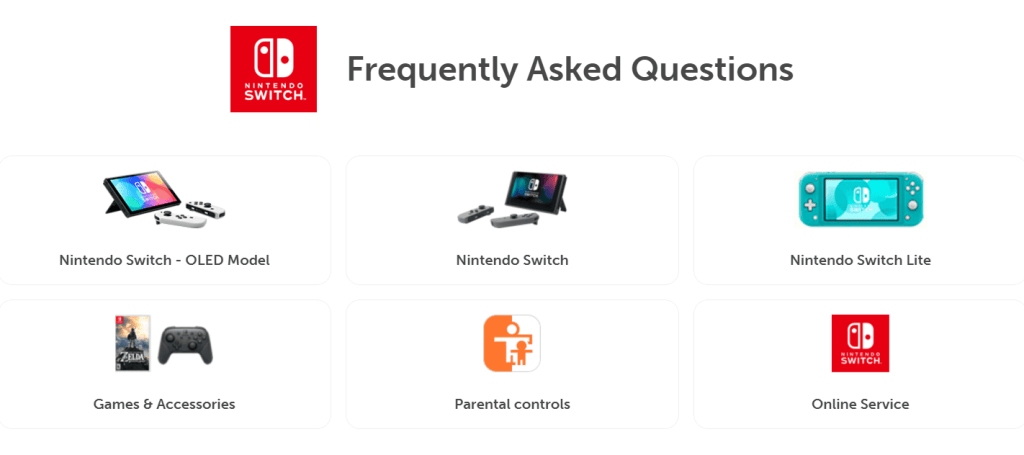
When a visitor selects one of the categories, they automatically scroll down the page and can read the answer to their question by expanding it.
The file storage service Dropbox shares details about how to use its app on a FAQ page. The page looks like a landing page in its layout and length. It includes all the key FAQ elements, such as a large search bar, links to popular FAQ pages, and a list of topics with short descriptions.

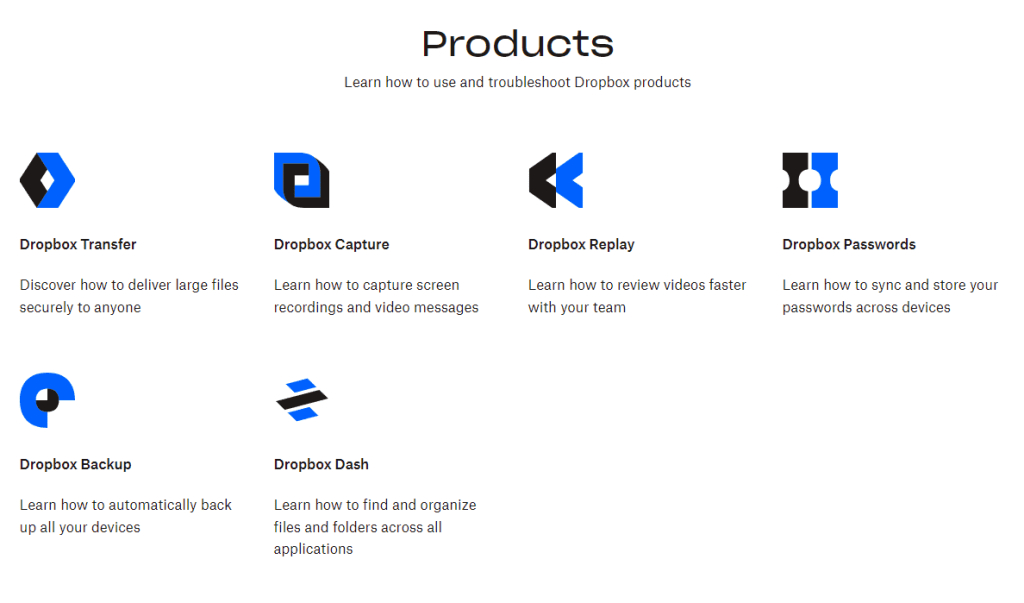
In a separate section, visitors can learn about the different Dropbox products. The visuals are simple and follow the brand’s style.
At the bottom of the page, there are links to popular articles and community posts. So if someone wants more than just quick answers and wants to understand the service better, they can check out the company’s knowledge base.

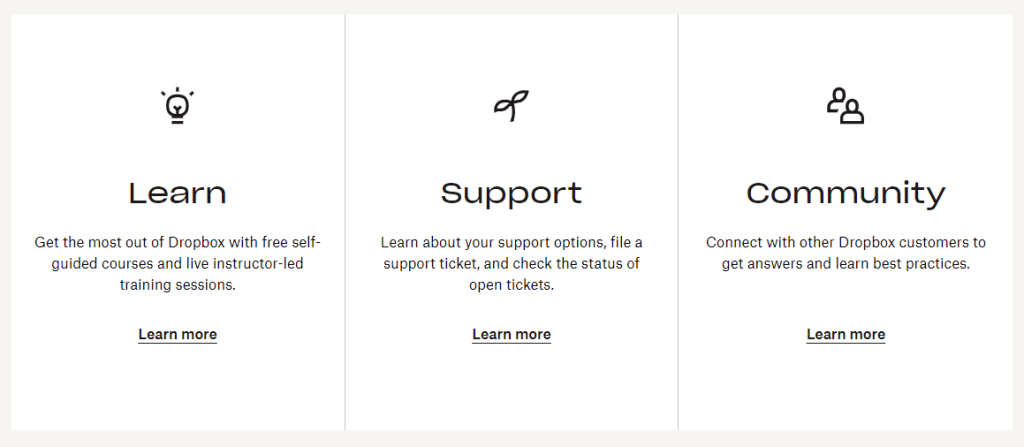
But the page doesn’t end there. As a wrap-up, the team added a section with short calls to action, such as: “Get the most out of Dropbox with free self-paced courses and live training with an instructor,” “Explore support options, submit a ticket, and check the status of your requests,” and “Connect with other Dropbox customers to get answers and learn best practices.”
Adobe placed categories in a sidebar, using dropdown arrows for navigation. This way, a lot of information is on one page, but everyone can easily and quickly find what they need. There’s also a virtual assistant for quick contact with a manager.
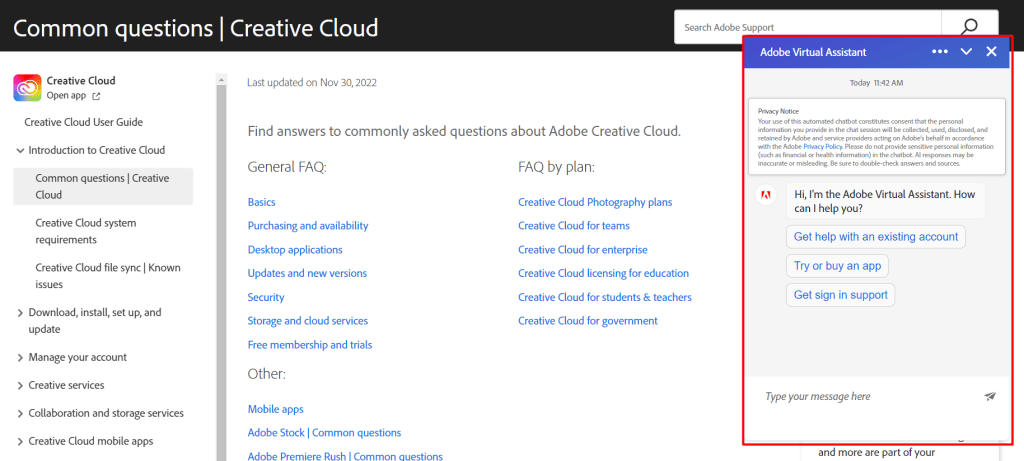
Some questions require a conversation between the customer and a manager. It’s important to offer different ways to contact support—not just on the “Contact” page or homepage, but also right in the FAQ section. A good way to stay connected with visitors is by adding a live chat widget. Outside business hours, a chatbot can do the job. But to make that work, you need to make sure your help center has all the up-to-date info and the bot is set up for all possible situations.
After launching the FAQ section, you should keep checking how well it works. Watch page traffic, bounce rate, and how many visitors return.
The FAQ page often needs updates. You may need to edit or add info if you launch new products or services, improve the service, start long-term promos or loyalty programs, or change terms for warranty, payment, or delivery. If your metrics get worse or customers start asking new common questions, you should update the content or even the design and structure of the section.
Conclusion
The main goal of a FAQ page is to inform customers about your product and service. Short and clear answers in one place help save time for customer service reps because some questions only need a quick and current reply. At the same time, companies should regularly update the page, add new questions and answers, and remove outdated info.
The FAQ section also helps with SEO. It brings more targeted organic traffic with keyword-rich questions. Plus, a well-designed FAQ page helps your site performance by keeping visitors on the page longer.
For complex products like software, computer tech, or certain services, a full knowledge base works better—with not only short texts but also visuals and how-to videos. In other cases, a FAQ section with a search bar, navigation, and a categorized question list is enough.
Common Questions
FAQ stands for “Frequently Asked Questions.” It’s a section on a site that acts like a help guide, where you can find answers to popular questions about products, services, or working with the company.
Typical FAQs include “How do I sign up?”, “How do I place an order?”, “Can I exchange or return an item?”, “What are the guarantees?”, “What are the delivery options?”, “Can I pay in installments?”, and “Can I pay on delivery?”
You should answer the questions your customers ask the most. You can find out by doing keyword research, talking to support and sales teams, or checking social media, forums, and surveys.
List the most important questions for your audience, write short and clear answers, and design the page using usability best practices.
You should make it a separate page on your site and link to it in the main menu and the footer.
It can have anywhere from 5 to 100 answers—it depends on your business. If there are many questions, change the usual layout and add a search bar, navigation panel, and other tools to make it easier to find info.
-
Tags
