


SSL CERTIFICATE: WHAT IS IT AND HOW DOES IT WORK?
-
Post author

-


Booking a hotel room or a flight ticket, shopping online, signing up for a consultation, or even subscribing to a newsletter—all of these actions involve sending personal data to a website server.
If this information is intercepted by hackers, it can lead to serious problems. The level of risk depends on how sensitive the data is. It might be just a name and email address or banking card details. In the first case, you may receive spam emails without your consent. In the second case, criminals can shop online using your money or even apply for a loan in your name.
To avoid such situations, always check if a website has an SSL certificate before filling out lead forms or using the site in general. This file protects your data from hackers and shows that the website is secure.
What Is It About?
- SSL Certificate and How It Works
- Why Do You Need a Security Certificate?
- Types of SSL Certificates
- How To Get a Security Certificate?
- Conclusions
SSL Certificate and How It Works
SSL stands for “secure sockets layer”. It’s a cryptographic protocol for safe communication with a website. The improved version is called TLS (“transport layer security”), but people still use the name SSL. So today, SSL usually means TLS.
“A website security certificate is a digital file that shows a website is secure and verified. A Certificate Authority (CA) approves the information in these certificates. CAs make sure the site belongs to the correct organization. These certificates help protect websites and verify personal information.”—“What Are Website Security Certifications? And How To Get One”, Indeed Editorial Team
A protocol is a set of rules used by a browser and server to share information. Without it, hackers can break into databases, steal logins and passwords, credit card numbers, phone numbers, addresses, and more.
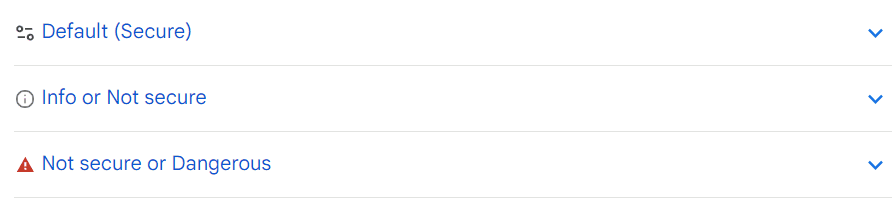
You can check if a site is protected. Look at the address bar—there you’ll see one of three symbols. The security icon may look different in different browsers.
- Default (Secure)—he connection is safe, so your data stays private.
- Info or Not Secure—the connection is not private. Someone else might see and use the data you enter in lead forms.
- Not Secure or Dangerous—the connection is not safe. Never share personal info on such sites. It’s best to avoid these websites.
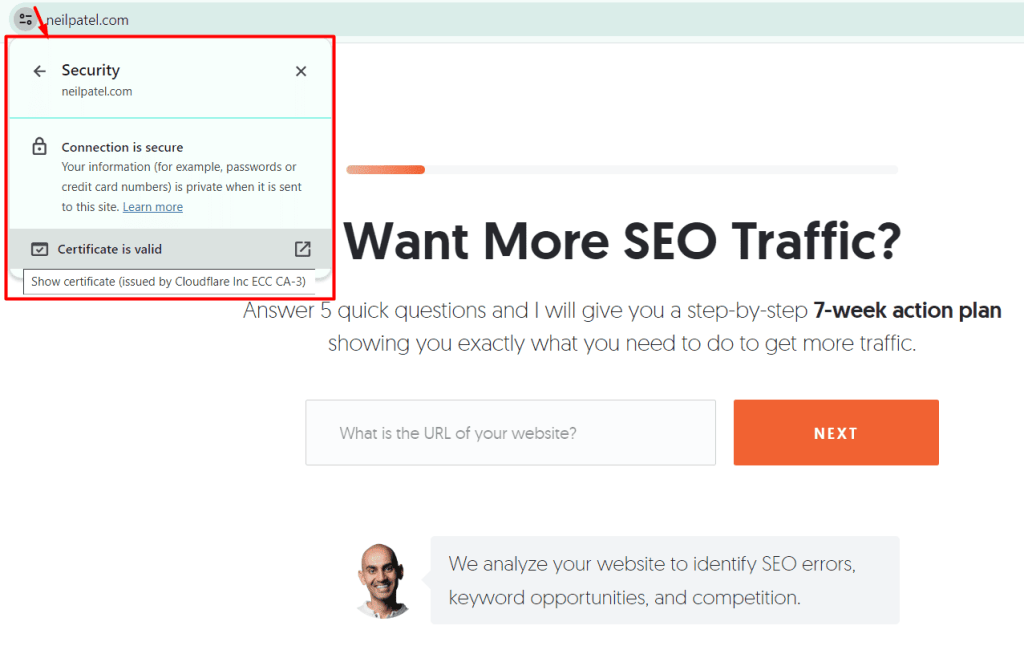
The “Default (Secure)” icon also allows you to view more info about the certificate. Click the gear icon and go to “Certificate is valid”.
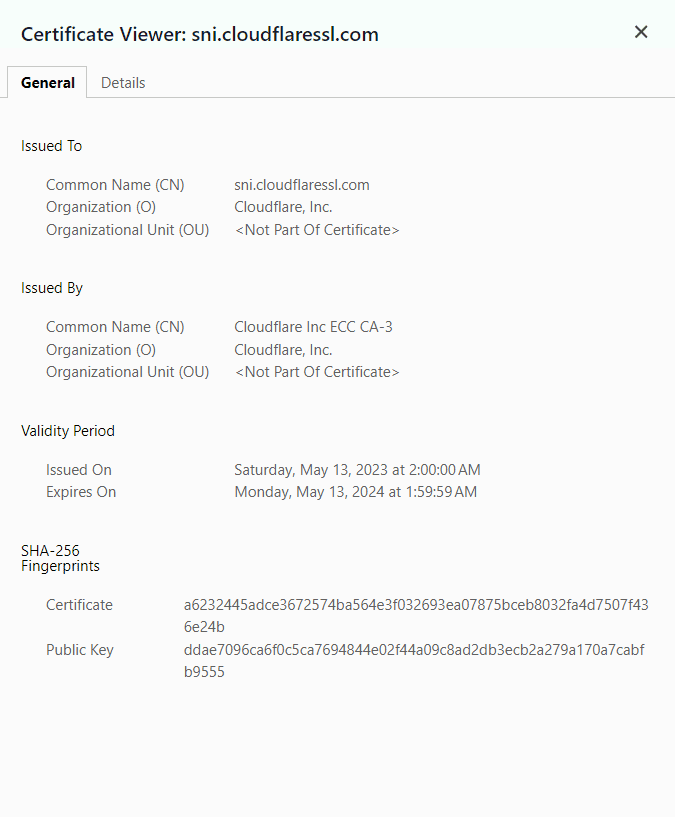
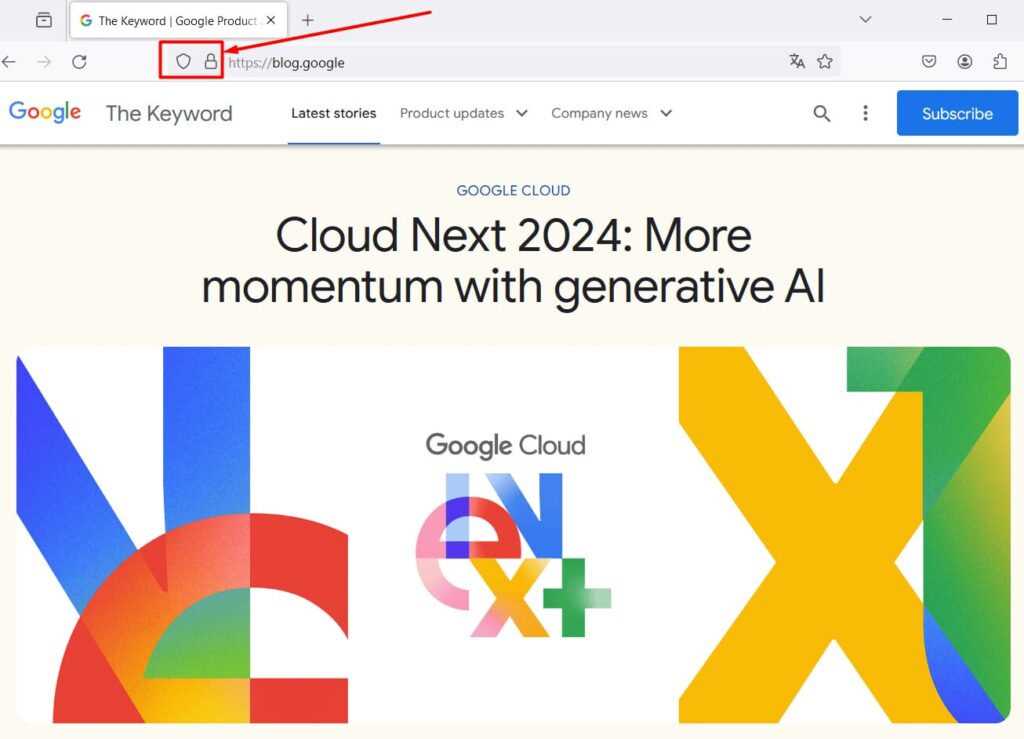
Sometimes a lock icon means the site has a valid certificate. It can be green, gold, or gray. A gear icon can also confirm the site meets safety standards. The symbol used may depend on the country, industry, or browser.
A crossed-out lock icon, as well as a warning like “Not Secure or Dangerous” shown as an exclamation mark inside a red triangle, means the connection is not private.

Another sign of a secure connection is the text HTTPS before the website address. For example, the link https://www.forbes.com shows that the website is protected by a secure protocol. On the other hand, the site would be unsafe if the address looked like this: http://www.forbes.com.
Websites that have HTTPS in the address protect users’ personal information with the TLS protocol. This protocol has three levels of protection against illegal data use:
- Encrypting the data, which makes sure no one can steal it while it is sent to the server;
- Saving the data in a way that any change is always recorded.;
- Authentication, which makes sure users go to the website they really want to visit.
If a website has an SSL certificate, a secure connection is created between the visitor’s browser and the website. This protection turns the card number into a random set of characters before sending it to the server. A special key stored on the server is required to decode the message. Even if hackers intercept the information, they can’t read or use it.

Expert comment
A few years ago, the more advanced the SSL certificate, the more visible it was—a green bar, the company name, and other highlights in the browser address bar. Back then, banks, financial institutions, and payment processors were required to use EV—Extended Validation—certificates.
For websites that store data—not just logins and passwords, but financial details and account access—it is recommended to use OV certificates. But in general, if it’s an online store or a service website using a third-party payment provider without storing card details, a DV certificate is enough.
A few years ago, Google promoted the benefits of paid SSL certificates over free ones. But now Google itself partners with services like Cloudflare and even generates free SSL certificates, competing with Let’s Encrypt.
Modern browsers block websites without SSL certificates. So, regular users will see a warning if there’s no certificate. But to know the type of certificate, they need to use special tools or look into browser settings.
Three types of encryption keys
- A public key encrypts the message when user data is sent to the server—like when someone fills out a lead form and clicks “Order.”
- A private key decrypts the message received by the server. It is stored on the server and never shared.
- A session key is temporary—it works only during the session, until the browser tab is closed. It encrypts and decrypts messages at the same time.
Encryption using two different keys is called asymmetric. It’s very secure but more complex. The browser and server use it once—to generate the session key. In symmetric encryption, a unique key is created for each session and not stored on the server.
An SSL connection is created each time someone visits a website. The process is called a “handshake.” It’s like the browser and server are greeting each other.
How HTTPS works
- The user enters a domain name in the browser.
- The server sends info about its SSL certificate and public key.
- The browser checks it, creates a session key, encrypts it using the public key, and sends it back.
- The server decrypts the session key.
- A secure connection is established.
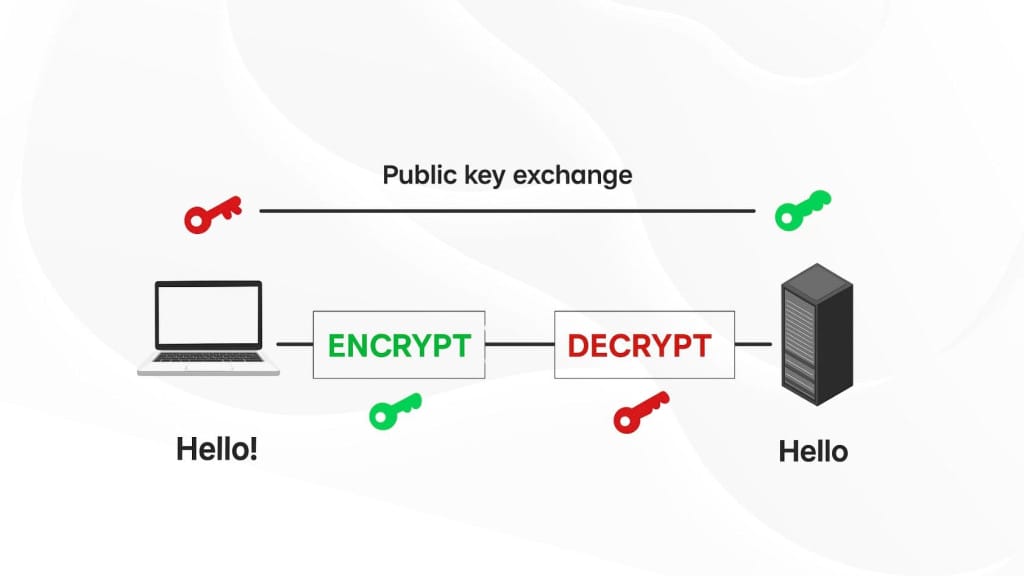
This process is like Face ID on an iPhone—it doesn’t unlock the phone until it recognizes the user. Similarly, a browser won’t start a secure connection unless it verifies the certificate.
Why do you need a security certificate?
The main role of an SSL certificate is to protect visitor data. This helps avoid scandals—especially for popular commercial websites, marketplaces, and social media platforms. Data leaks hurt brand reputation and user trust.
If the certificate is missing or invalid, users get a warning.
“If you see a red warning that takes up the whole page, it means that the “Safe Browsing” feature has flagged the website as dangerous. The site might misuse the information it collects or abuse it, and it could also try to install harmful software on your computer. When you use this site, your privacy and security are at risk.”—“Check if a site’s connection is secure,” Google Chrome Help
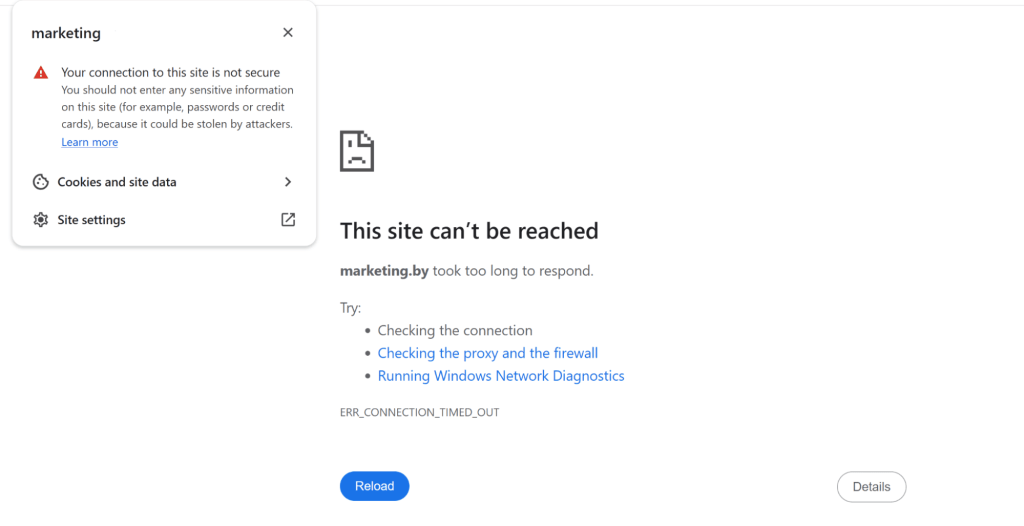
Of course, after receiving such a warning, the user will leave the website and go to a competitor. A company that ignores customer security loses profit. Having a certificate is especially important for bank websites, payment systems, government organizations, etc. These websites may collect confidential data and even document screenshots. But for online stores, marketplaces, forums, and even small business websites where visitors can place and pay for orders, an SSL certificate is a must-have for customer and search engine trust.
📌 Read the article: What to Do with a Bad Interaction to Next Paint (INP) Score?
Benefits of Using an SSL Certificate
- Better rankings in organic search results. Google and some other search engines take SSL certificates into account when ranking sites. So a site with SSL has an advantage over one that is not secure.
- Compliance with GDPR. A secure connection helps follow data protection rules set by regulators, such as the GDPR in the European Union.
- The ability to use the HTTPS protocol. A website with an SSL certificate can use the secure HTTPS protocol, which also improves reputation and SEO.
- Subdomain security, which is important for owners of multiple websites.
- Users feel safe placing orders online and spending more time on the website.
“SSL certificates can significantly boost conversion rates. A user is much more likely to buy from you if your website is secure.”—”How to Choose Between these 5 SSL Certificates for Your Site,” Neil Patel Blog
The issue of having a certificate is regulated by the law “On Personal Data.” So a secure connection is not just a bonus—it’s a required part of a fully functional website. Today, more than 80% of top-ranking sites in search results use SSL.
Types of SSL Certificates
The more expensive the certificate, the more secure it’s considered, because the price depends on how complex the verification process is and the technical features. Of course, it’s not worth buying the most premium option for a landing page, blog, or small business website. You need to consider the type of business and its size. There are certificates for securing a single page or multiple pages on subdomains.
Based on their purpose and verification process, SSL certificates are divided into several types.
- Domain Validation Certificates (DV)
Great for individuals—personal websites, blogs, forums, etc. If your visitors subscribe to email updates or leave their phone number for a consultation, this option is the right one. A domain validation certificate is issued within 15 minutes and doesn’t require site owner or business documents. - Organization Validation Certificates (OV)
Used by small and medium businesses—company websites, social networks, small online stores, insurance agencies, travel companies. If users use the site for messaging or to make payments through integrated systems, domain validation is not enough—this certificate is a better fit. - Extended Validation Certificates (EV)
Large commercial organizations and government agencies are responsible for many users, and the information shared on their sites may be highly confidential. Sometimes, these certificates are also used by big online stores, banks, investment funds, and others.
Only registered businesses can get them, and it usually takes about two weeks. The certificate authority will verify the domain name, company registration, contact details, and business legitimacy. EV SSL certificates are easy to spot—the browser shows a green bar with the company name.
There are also Multi-Domain Certificates, meant for network-based businesses, mail servers, etc. Some can secure up to 100 domains. These also come with domain, organization, or extended validation options, including the green bar. But Wildcard certificates for subdomains only come in two types—with domain validation or organization validation.
To check how secure your data is, you can use a special SSL certificate checker. It tests whether everything works properly. Basic checks happen in your browser, but browsers have their own logic and might not show the full picture. That’s why tools like SSL Checker or SSL Shopper are better.
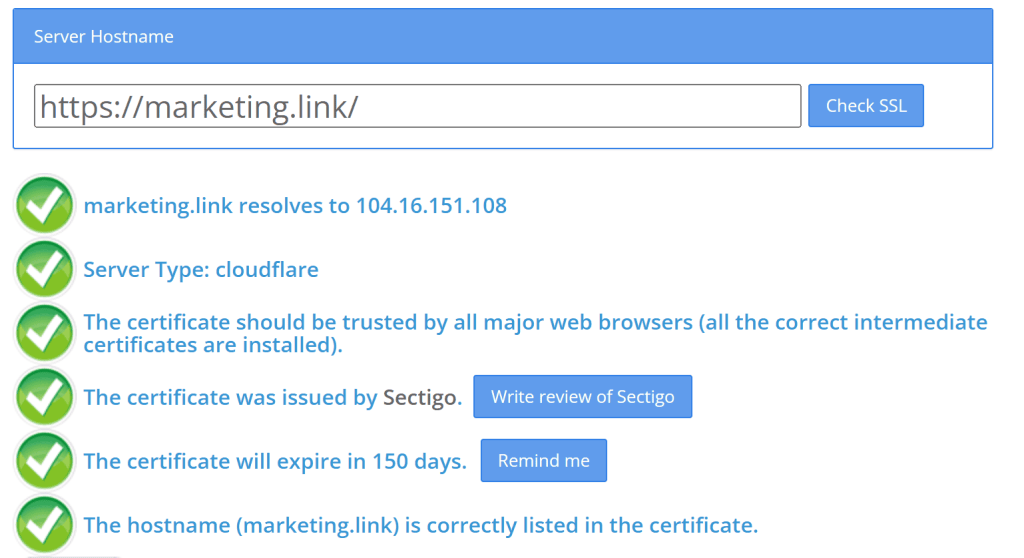
The check takes a few seconds. For example, this is what it looks like on sslchecker.com.
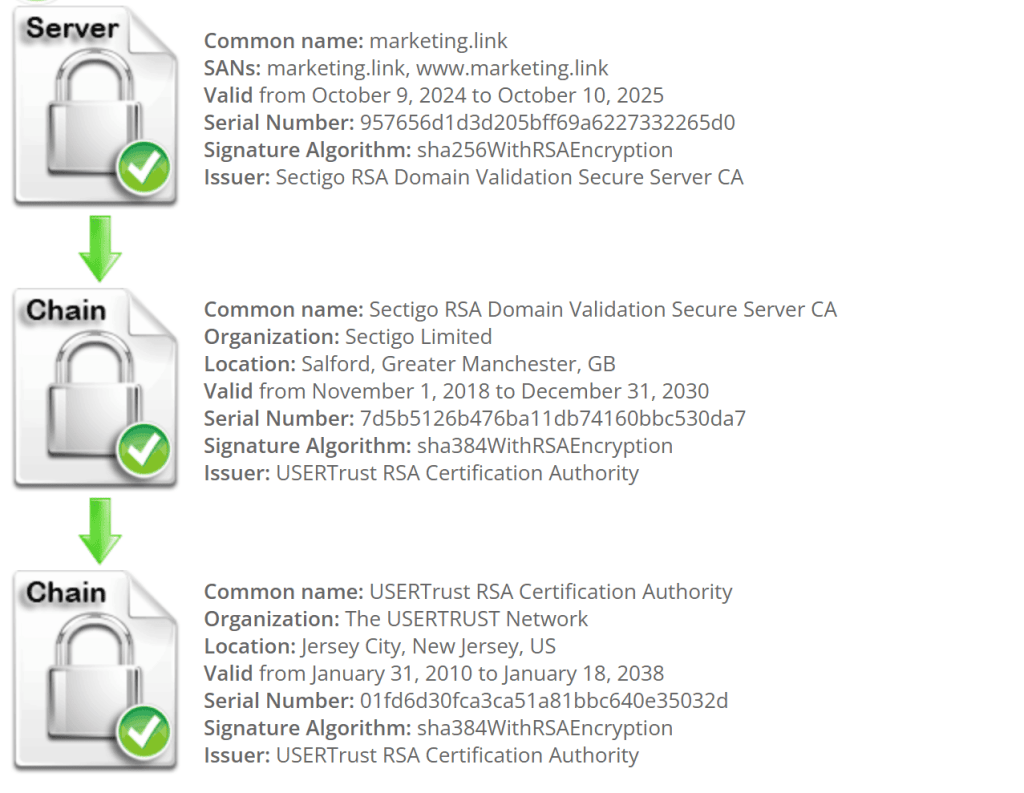
How to Get a Security Certificate?
To install a security certificate on your website, you first need to buy it. The price can vary a lot—from $20 to $500—depending on the level of protection. Also, expensive certificates usually require document verification, so you’ll need both money and time.
Certificate providers like Letsencrypt and Startssl are free. But their SNI identification technology is not compatible with many payment systems. So they’re good for news websites and blogs—not for e-commerce.
Paid certificates are better for handling payments. They improve site usability and increase conversion rates. Plus, paid providers offer hacking protection guarantees.
Getting a website security certificate involves a few steps:
- Choose a certificate authority.
Some hosting providers offer website security certification. Make sure to choose a trusted provider that gives a valid certificate with strong protection. - Create a Certificate Signing Request (CSR).
Send this request to the certificate authority. It should include your site’s domain, the owner (person, organization, or device), the issuing certificate authority with its signature, issue and expiration dates, and a public key for encryption and decryption. - At this point, you’ll also make the payment. The certificate authority checks your info and signs the certificate with private keys.
- Install the certificate on your web server.
This can be done by the site owner or the web hosting provider. After that, the certificate becomes active, and your site address may switch from HTTP to HTTPS.
Conclusion
SSL protection is a special technology used to secure connections between the browser and the website. SSL stands for Secure Sockets Layer—small data files that link a cryptographic key to a company’s credentials and connect domain names, server names, and organization details.
An SSL certificate is like a digital passport for your site—it protects users’ personal and payment data. It helps prevent cyberattacks and data theft. If you own a website, make sure it secures payment pages, login pages, registration forms, or the entire site.
A valid SSL certificate is shown as a green, gold, or gray padlock or gear icon next to the website address. Users can click on the gear and go to the “Certificate is valid” tab to see more info. You can also check if the URL starts with HTTPS in the address bar.
Certificates vary in security level and price. Both depend on how strong the protection is. Site owners can choose certificates with domain validation, organization validation, or extended validation, as well as certificates for domains and subdomains.
Frequently Asked Questions
The browser sets up a secure connection only after checking that the SSL certificate is valid and not fake.
To get a website security certificate, find a trusted certificate authority, create a signing request, wait for verification, and install the certificate on your server.
It encrypts and secures the connection between the site and the visitor’s browser.
The server sends the certificate and a public key. The browser checks the info, creates a session key, encrypts it with the public key, sends it back, and the server decrypts it—then a secure connection is established.
If the URL starts with HTTPS, the site has a certificate. You’ll also see a padlock or gear icon next to the address. For a full check, you can use a certificate checker.
-
Tags
